
|
 05. Jan 2017, 03:32 PM
|
#14 (permalink) |
|
Senior Member

Join Date: Jun 2012
Posts: 1,074
|

Windows 10 listening too much on you?
https://www.oo-software.com/en/shutup10 Edge might be nice on a huge screen but on a laptop, i find their toolbars bulky. |

|

|
|
05. Jan 2017, 07:32 PM
|
#15 (permalink) |
|
Senior Member

Join Date: Oct 2009
Location: UK
Posts: 1,471
|
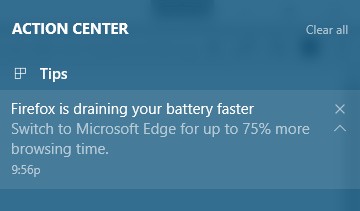
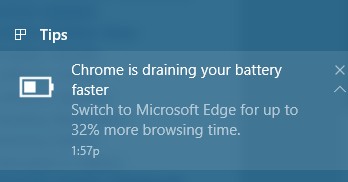
JoJo; I don't use Firefox on my desktop or laptop so wouldn't know about that. I do have Opera installed on my laptop, never had the Action Center warning but I do know that the battery, fully charged, will last longer if I use Edge. Percentage wise, I have no idea how much it does save.
http://www.intowindows.com/firefoxch...windows-10-pc/ https://blogs.windows.com/windowsexp...ersary-update/ Those two articles are from August and September last year respectively, and explain why it is that Edge uses less battery. However, whether you believe it or not is up to each user and I have no doubt that MS use the warning you've received to try get more people to use Edge. I wouldn't say they were lying though, not from my experience at least. I always said I would never buy another laptop - battery draining and messing about with updates etc. became a pain and I grew weary of it. When Win10 came out I decided to buy a 2 in 1 touch screen laptop to have around the house and have to say it's a better experience to what I've had in the past with laptops - and it's nothing fancy, but flipping it, using it in tablet mode and browsing with Edge is excellent. And I don't find it takes up too much screen or is bulky, like danielson's experience. The laptop has an eleven inch screen so it's not massive. Personal experience and choice. But I think that some of the Chrome/Blink browsers are becoming a little power hungry of late. Maybe trying to outdo each other with more and more options and features, which is great if that's what lots of users want but maxfan hit it on the head for me in a post on the Vivaldi thread some time back, "Maybe I'm not hardcore enough to need all it's customisation features" .... and I feel the same now. I just want something to browse the internet with, something that's fast and light and on my laptop something that works well with touch. Edge, for me, does just that and if I need all the bells and whistles then I use Opera. |
|
|
|
|
08. Jan 2017, 01:14 AM
|
#16 (permalink) | |
|
Senior Member

Join Date: Sep 2010
Location: Planet X
Posts: 882
|
Quote:
it's why you can't remove it completely it might "drain" less if you only count when the IE window is open, but that's like saying the car uses less gas only when you drive it above 75 mph, and discount the speeds 1-75 |
|
|
|
|
|
08. Jan 2017, 08:26 AM
|
#19 (permalink) | ||
|
Senior Member
Join Date: Jul 2010
Location: New Zealand
Posts: 1,741
|
Edge UWP app
Quote:
Edge is an "app" built using the Universal Windows Platform (UWP) and is not a "desktop application" like Chrome, Firefox, and Internet Explorer. That is the major difference between them. The difference in power usage is almost entirely attributable to this difference. UWP apps are more constrained than desktop applications and they function very much like mobile apps in Android and iOS. UWP apps are developed using a different framework which dramatically changes how they interact with Windows and the computer.
Windows has greater control over UWP apps. Windows desktop applications when minimised or in the background have a lower priority than the application a user is interacting with. Windows can have a a lot more control over UWP apps because the app has to declare what features (e.g. email) and devices (e.g. camera, network) it is using and get the user permissions to access them. This means that Windows can check the features used by a UWP app so it can even suspend an app if it does not need to be using any processor cycles when minimised. Laptops Quote:
The power saving features of laptops are so much better. Over the life of a laptop, the power savings more than offset the higher cost. This is true even including a docking station which makes it convenient to attach a separate keyboard, mouse and display. This is essential to avoid the ergonomic and health issues associated with working directly on a laptop keyboard and screen. My son has an old gaming desktop which cost $600 second-hand uses 450W peak which is about $400 of power a year - it literally heats his bedroom. A replacement gaming laptop costs $1200 but only uses 145W peak which is about $100 of power a year if he used it instead. Over five years the desktop costs $2,600 and the laptop $1,700. My son is not motivated to get a laptop because his parents pay the power bill! P.S. I should have added that the amount of power saved very much depends on the power mode set on your computer. How to improve battery life with windows 10's new power settings How to use and configure Windows 10's battery saver mode
__________________
Better to light a candle ... than to curse the darkness. Last edited by Remah; 08. Jan 2017 at 08:32 AM. Reason: P.S. added |
||
|
|
|
 |
| Thread Tools | |
| Display Modes | |
|
|





 Linear Mode

