
|
 06. Dec 2018, 09:12 PM
|
#31 (permalink) |
|
Senior Member

Join Date: Oct 2009
Location: UK
Posts: 1,460
|

Microsoft Edge: Making the web better through more open source collaboration;
https://blogs.windows.com/windowsexp...collaboration/ |

|

|
|
01. Apr 2019, 04:28 PM
|
#32 (permalink) |
|
Senior Member
Join Date: Oct 2009
Location: UK
Posts: 1,460
|
Been using this leaked MS Edge/Chrome browser for a week now, Version 75.0.111.0 (Official build) (64-bit). It's obviously nowhere near the finished product but so far I haven't encountered any real problems with it. It's very stable and runs well.
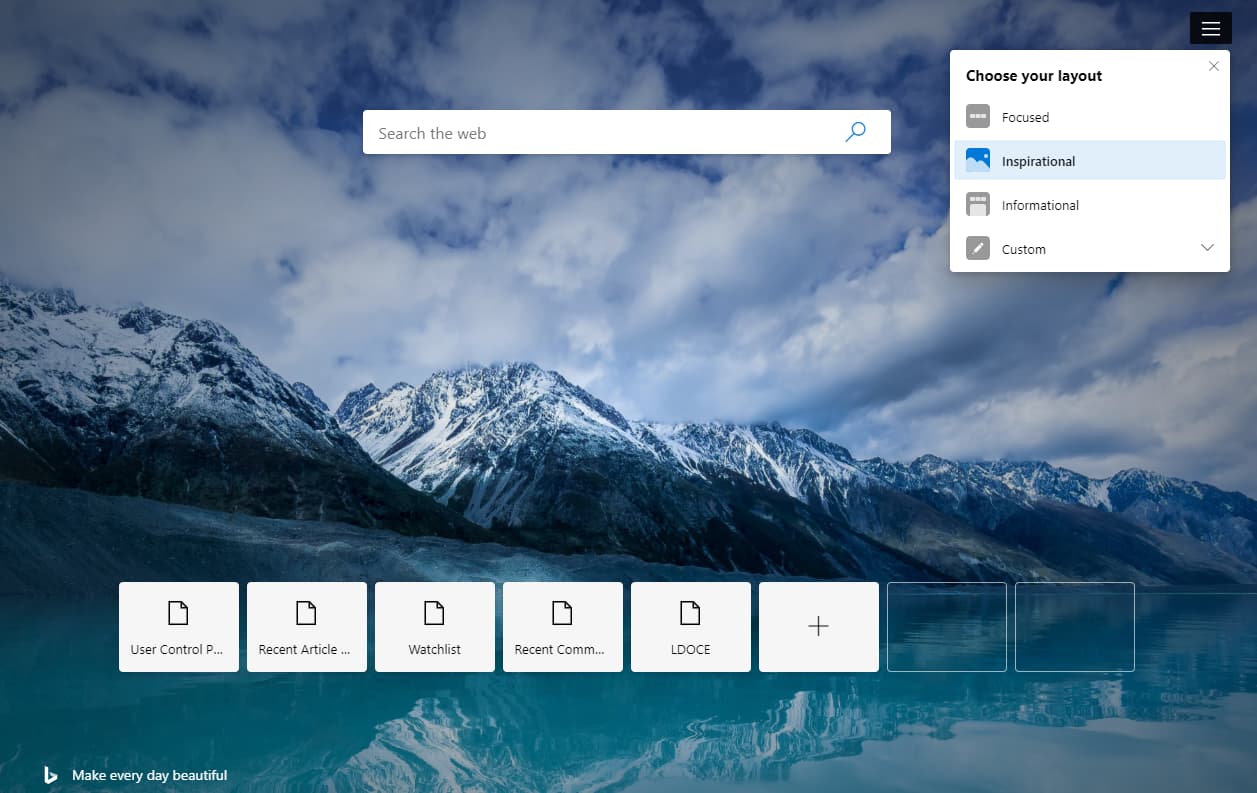
Installed a few extensions from the Chrome Store, no problems. Managed to install my Theme of choice by downloading the .crx file and loading it, again, no problem. Tinkered around with a few flags and changed a couple of things, got rid of the news feed on the start page etc. It's not fully featured yet, see what they add in the official release and releases thereafter. Should be interesting. I know Chromium browsers are not the first choice for everyone but I think MS have made the right decision by doing this. Even in this very early state it's a capable browser. |
|
|
|
|
01. Apr 2019, 05:29 PM
|
#33 (permalink) |
|
Senior Member

Join Date: Jun 2012
Posts: 1,057
|
Still think they had a huge chance if they had "coaxed" the Netcaptor dev in the day to make one for M$ label.
Agree with you about Edgium stability (could no longer hold back the urge to try it out). Will wait and see now until official version comes out. |
|
|
|
|
08. Apr 2019, 10:42 PM
|
#34 (permalink) |
|
Senior Member
Join Date: Oct 2009
Location: UK
Posts: 1,460
|
Microsoft Edge preview builds are ready for you to try. Check out what we've been working on, and let us know what you think so we can keep improving;
https://www.microsoftedgeinsider.com/en-us/ Official release. |
|
|
|
|
10. Apr 2019, 02:43 PM
|
#36 (permalink) |
|
Senior Member
Join Date: Jun 2012
Posts: 1,057
|
Borrowed this from our friends at Betanews to get dark theme:
Open Settings in Windows. 2. Click the Personalization icon and move to the Colors 3. Under the Choose your default app mode heading, select Dark. 4. Now launch Edge and type edge://flags/#edge-follow-os-theme into the address bar before pressing Enter. 5. From the drop down menu to the right, select Enabled. 6. Click Relaunch Now. https://betanews.com/2019/04/09/micr...ium-dark-mode/ |
|
|
|
|
19. Apr 2019, 03:13 PM
|
#37 (permalink) |
|
Senior Member
Join Date: Oct 2009
Location: UK
Posts: 1,460
|
Dev version of Chrome/Edge updated to 75.0.131.0. Still running really well and, so far, they seem to be doing a good job with this browser. I like the idea of it integrating with Windows Defender SmartScreen, and also appreciate that you can set your own default search.
They give more information on the dev channel page; https://www.microsoftedgeinsider.com...ion=74.1.96.24 ... which is a good thing. Still no spell check as yet. In the flags; 'Enable using the Microsoft Edge local NTP' will get rid of the news feeds on the start page, and 'Microsoft Edge Reading View' when enabled allows you to use the reading view if you prefer un-cluttered pages. In all the time I've been using it hasn't crashed once, in fact it hasn't caused me any issues at all. Very solid so far. |
|
|
|
|
27. Apr 2019, 01:07 PM
|
#38 (permalink) |
|
Senior Member
Join Date: Oct 2009
Location: UK
Posts: 1,460
|
Dev channel updated to 75.0.139.1. You can also now install and use the Dev or Canary version on Windows 10, 32 bit machines.
Another welcome addition is the publishing of changelogs for the Dev channel; https://techcommunity.microsoft.com/...ive/m-p/486346 "Since our initial release, one message we’ve heard clearly is that you want better communication about these changes". Good to see them acting on user feedback 
|
|
|
|
|
20. Aug 2019, 06:24 PM
|
#39 (permalink) |
|
Senior Member
Join Date: Oct 2009
Location: UK
Posts: 1,460
|
Microsoft's Chromium Edge browser is now available in the Beta channel;
https://www.neowin.net/news/microsof...e-beta-channel Here's the download page; https://www.microsoftedgeinsider.com/en-us/download Been using the Canary versions for a long time now, no problems with it so it's good to see the official Beta release become available. It's a good browser, very stable, never crashed. A few tweaks here and there, add a few extensions and it's as good as any Chrome fork out there. Also, a 'leaked' version of the Stable build is now available - Version 77.0.235.9 (Official build) (64-bit). It's from MS so I downloaded and installed it. It replaces the 'old Edge' icon in the start menu and, same again, no problems running it. Everything works fine. Enabled a few things in flags and no issues so I'll keep it installed. Seems like they're getting ever closer to the official Stable version. Good browser. |
|
|
|
 |
| Thread Tools | |
| Display Modes | |
|
|




 Linear Mode

