


Revo Uninstaller
It works more uniquely than others and does a fine job in most circumstances

Pros & Cons:
Review:
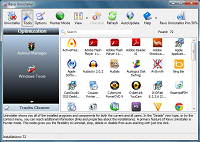
The top pick for me is Revo Uninstaller, an uninstaller that works more uniquely than others. It can uninstall a program without the need to monitor its installation.
It works by scanning a hard drive and registry for files that would otherwise be left behind. It removes all the program's files, auto start entries and all noticeable registry entries. When you ask Revo to uninstall a program, it first looks for the products uninstall program and will run that program if it is found. Only if the search fails will it try to remove files and registry entries itself.
However, it's possible that a few registry entries and files can sometimes be left over after the process is finished. I ran some tests by getting Revo to uninstall a product whose installation I had monitored using ZSoft Uninstaller to see that all files are accounted for during the uninstallation. Revo did a fine job, though not quite as well as an able user would do manually. There were still some files remaining, notably files stored in the user/local settings folder, but they did no harm other than taking up disk space, and they certainly would not interfere with the normal operation of the PC.
Revo can also act as a before and after uninstaller, but frankly this is not its forte. The freeware utility ZSoft Uninstaller is a better choice for this.
That said, I was very impressed by Revo. It is the only freeware product I know of that will make a decent job of cleaning up a failed install. Next time you encounter a failed install, remember Revo. It does a fine job in most circumstances and offers a lifeline to average users, even though it's not perfect in its un-installation.
Revo Uninstaller was reviewed by Gizmos Freeware on
 We are looking for people with skills or interest in the following areas:
Comments
Does it work with 64-bit applications yet?
My question mirrors Fairportfan's;...Does it work with 64-bit applications yet?
Thanks.