


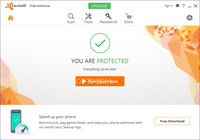
Avast Free Antivirus
The only antivirus with a fully customizable installer and selection of user preference components.
License:
Free (Limited features)
Pros & Cons:
- Extremely light on the system with a modern and clean UI
- The only antivirus with a fully customizable installer, selection of user preference components
- Works best in hardened or lock-down mode, which blocks all unknown programs (medium-expert users only)
- Top notch detection capability, many secondary components to offer variety to a wholesome software
- Excellent malicious URL blocking, network protection, outdated software checking, integrated password manager, and comes with a rescue disk.
- Deep screen technology that includes Sandbox and Safe machine components for protection
- Bloated default setup, some ads and pop'ups
- Account creation for further protection after a month
- Lack of an anti-ransomware module, and Deepscreen disabled by default
- Cloud reputation, Malware signatures and HIPS module needs improvement
- Offers Google Chrome and various bloated secondary components during install [Choose custom install]
Avast Free Antivirus was reviewed by Gizmos Freeware on based on version 11.1.
 We are looking for people with skills or interest in the following areas:
Comments
I was looking for a free antivirus and Avast sounded promising.
Downloaded and start to install it on a fresh windows 10 machine, after all 275 megs were downloaded started to install the antivirus and after 30 minutes still trying...
I stopped the install only to find out that the program was installed (according to windows), it was working fine but I was worried about a defective install, so I tried to uninstall it, the choices it give me were REPAIR o CHANGE but not uninstall, neither one of those choices helped me to uninstall.
Finally downloaded Revo uninstaller and got the machine clean, downloaded PANDA and in a few minutes got everything working ok.
YMMV.