


Snipping Tool
A screen capture tool built into Windows
Pros & Cons:
Our Review:
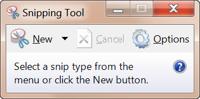
Microsoft's Snipping Tool comes already installed in Windows Vista and Windows 7. A capture must be initiated by first launching the program. From there you can select a screen capture type or press Escape and the PrintScreen button hot key.
Full screen, active screen, rectangular area, and freehand area selections are supported. No auto-save, auto-scroll or delayed capture.
Output is displayed in the editor window and sent either to email or an image file. The editor is limited to two tools--a freehand highlighting tool and a freehand line drawing tool. There is no printer output function.
It saves resulting images as PNG, GIF, JPG, & MHT.
Snipping Tool was reviewed by Gizmos Freeware on
 We are looking for people with skills or interest in the following areas: