

Get our latest top picks
 Subscribe to our Top Picks RSS Feed or enter your email address below to get the feed delivered to you by email:
|
Follow Gizmo |
 |
 |
 |
Register/Login
Top Rated
Another Program To Check For Software That Needs Updating
A few days ago I wrote in this column about Secunia PSI, a free utility that helps to advise you which of the programs on your PC needs updating. A couple of you suggested that SUMo (Software Update Monitor) as a program which does a similar job, so I have been taking a look at it.
Like PSI, SUMo scans your computer looking for all installed applications. It then advises which ones have an outstanding update that is available for download but which you haven't yet installed. You can then choose to download the update (manually or though the SUMo program). If you don't recognise a particular program in the list of items found on your PC, there's also an option to open the relevant directory/folder in Windows Explorer so you can take a closer look.
SUMo is free, and is a 1 MB download from http://www.kcsoftwares.com/?sumo that's malware-free according to VirusTotal and Web of Trust. However, be aware that the installable version includes additional adware which will, unless you choose not to, get installed on your computer. The safest option is to follow the advice on the web site and make sure you download the portable version, which is free of all unnecessary baggage.
As a way to scan your computer for software, SUMo is very useful. On my particular machine it found about 800 programs. Unfortunately, many of the programs it detected were not actually installed, but were merely copies of installers that I keep on my hard disk in case I ever need to use them in the future. So long as you bear that in mind, SUMo is a useful tool to check for software (whether installed or not) that's lurking on your Windows machine. And if you use the portable version, you can try it very easily.
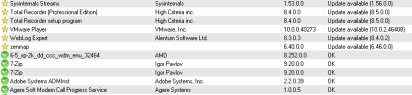
Warning: [Picture] Download Portable Zipped version only, as the regular and lite installer contains adware.

- Article type:
- Login or register to post comments
 Printer-friendly version
Gizmo's Freeware is Recruiting!
 Share your knowledge of free software with millions of Gizmo's readers by joining our editing team. Details here.
Comments
You shouldn't have downloaded the installer as mentioned in the article which contains adware.
Correction: Only download the portable version.
http://i.imgur.com/jkjb7CI.png
I believe you are incorrect. The "lite" version as opposed to the "RK" version which your are discussing above.
From the KC Softwares Site:
Download Regular installer. May contain sponsors like Relevant Knowledge and/or Somoto.
NoRK NoRK installer. Does not contain RelevantKnowledge but may contain Somoto .
Lite Lite installer. Does not contain any sponsor.
Zip Portable (Zip). Does not contain any sponsor.
I run Windows Defender, MalwareBytes Pro, HitmanPro and never have had any malware indicated from the site (in over 3 years now - Windows 7 and Windows 8). There is NO opt out in the "Lite" nor are any toolbars installed.
Please check it out and let me know if you find something else. Thanks
I'm not sure if you're replying to my post or the one that said Avast flagged it, but if extract the setup file yourself, you'll see that a file called itdownload.dll is included in the lite version and a script for Relevant Knowledge is included in the install script, regardless of what the software vendor states.
I am only speaking from actual use of this app - and I have not experienced what you stated when using the "Lite" version. I am not arguing with you - just stating my experience over the last 3 years backed up by MalwareBytes scans, HitmanPro Scans and Windows Defender Scans. I agree the other versions contain some undesirable toolbars and files. I will continue to use it - with my selected settings.
I didn't intend for you to think that I thought you were arguing. Sorry if I gave you the wrong impression. My opinion of these programs is that if one is going to use them, you're better off getting a good unpacker like Universal Extractor, updating it's individual unpackers, and extracting all programs if you can. In this manner, you can remove the offending ad-ware and run the program as a portable.
My policy is if I can't extract the setup file, I don't use the program (unless it's something I've actually paid for, which is rare these days). Even if buy software, it's always free after rebate.
This is a great program. Just be sure to download the "lite" version which is free of any adware. There will be several choices for download, but make certain "lite" is one you download. I have used it for quite some time and never had a problem....plus it's very reliable for update info.
There are options which allow you to chose to include "Beta" if you wish. Check out the "Tools" tab and make sure you chose the ones which will accomplish what you wish to do. You can "ignore" programs if you feel they don't need to be updated -or you can "skip" updates for a week, month, etc. There is also an "Options" tab which can help you set the program up as you wish - like start with Windows, etc.
Also, if you feel an item is reported in error, you can right click it and report "error" or "Beta" if you wish. I recommend it - Kyle Katlin is very responsive to notifications of errors, etc. Thumbs up!
The lite version of Sumo is not free of adware as previously stated. If you extract the "sumo_lite.exe" file without installing the program, there's a file called "itdownload.dll" in the package. This file usually downloads a toolbar of some sort or other adware. Sometimes there's an opt out feature in the program before installing. In the "install_script.iss" file (this file is like a bat file that tells the program installer what files to install where as well as what registry strings to put in the registry), there's the following (it appears as if there's an opt out selection for the Relevant Knowledge adware but unless you use a good uninstaller to monitor the install, you never know what's being installed):
en_1.RKDescription=includes RelevantKnowledge
en_1.RKDescription2=Active participants in RelevantKnowledge are recognized with a tree donation. RelevantKnowledge.com/trees
en_1.RKDisclosure=In order to provide this free download, RelevantKnowledge software, provided by TMRG, Inc., a comScore, Inc. company, is included in this download. This software allows millions of participants in an online market research community to voice their opinions by allowing their online browsing and purchasing behavior to be monitored, collected, aggregated, and once anonymized, used to generate market reports which our clients use to understand Internet trends and patterns and other market research purposes. The information which is monitored and collected includes internet usage information, basic demographic information, certain hardware, software, computer configuration and application usage information about the computer on which you install RelevantKnowledge. We may use the information that we monitor, such as name and address, to better understand your household demographics; for example, we may combine the information that you provide us with additional information from consumer data brokers and other data sources in accordance with our privacy policy. We make commercially viable efforts to automatically filter confidential personally identifiable information and to purge our databases of such information about our panelists when inadvertently collected. By clicking Accept you acknowledge that you are 18 years of age or older, an authorized user of the computer on which you are installing this application, and that you have read, agreed to, and have obtained the consent of all computer and TV users to the terms and conditions of the Privacy Statement, User License Agreement (ULA), and Patent Notice.
en_1.RKOptionYes=Accept
en_1.RKOptionNo=Decline
en_1.RKPrivacy=Privacy Statement, ULA, and Patent Notice
en_1.RKPrivacyURL=http://www.relevantknowledge.com/RKPrivacy.aspx
en_1.RKRequireCheck=Please select an option before clicking next.
en_1.RKSurveyCaption=Short Survey
en_1.RKSurveyDescription=Please answer these questions.
en_1.RKMessageCancel1=Please complete this short survey.
en_1.RKMessageCancel2=This survey does not ask you any personal questions and should not take more than 5 seconds. Are you sure?
en_1.RKMessageVerify18=You must be able to certify that you are 18 or over to be eligible for the incentive associated with this offer.
en_1.RKSCR1=Are you a male or female?
en_1.RKSCR2=What is your age?
fr_2.NameAndVersion=%1 version %2
The portable zip file of the Sumo doesn't appear to include the Relevant Knowledge adware, but there's alwsys the possibility that some code has been written to the main exe program file that might initiate a download of something in the future.
Emisoft had classified Sumo as adware:
http://www.emsisoft.com/en/malware/Adware.Win32.SUMo-remove.aspx
Wilder Security comments about Sumo and Relevant Knowledge from last year:
http://www.wilderssecurity.com/threads/sumo-malware-or-not.340269/
Description of Relevant Knowledge from several years ago:
http://www.ghacks.net/2009/05/18/about-relevant-knowledge/
To the credit of KC Software, on the download page that mention that Relevant Knowledge or Somoto adware is included but they state that the lite installer is free of this stuff, when clearly it isn't if it's written in the install script.
Hi !
Very nice & tricky catch !
it_download.dll was packaged but NOT executed in the LITE version (no sponsor installed nor downloaded).
This has been fixed in all the builds i've just re-uploaded to my website.
Thanks for reporting !!
What's your website? If it's KC Software, I downloaded a slightly smaller (2 kb) Lite version setup file with a different hash than the previous one and it had the same ad-ware and iss script included in the package. According to the date stamp, the setup file was updated last night but the Sumo program version is still the same one from May 1, 2014.
@ original_steve,
Kyle_Katarn is the developer of the SUMo software, and http://www.kcsoftwares.com/?sumo is the website.
I think the developer really meant to clean up the SUMo Lite installer package, yesterday, but I guess inadvertently not all components of the adware installation script were deleted.
Perhaps it could be helpful if you could contact the developer directly?
For KC Softwares' technical support e-mail address, see: http://www.kcsoftwares.com/?contacts
Best regards