Get our Latest Finds
 Subscribe to our RSS feed or enter your email address below to get the feed delivered to you by email:
Follow Gizmo
Using this Site

Gizmo's Freeware is Recruiting
 We are currently looking for people with skills and/or interest in the following areas:
- Digital photography software
- Windows defragmentation software
If this sounds like you then click here for more details
Best Free CD / DVD Burning Software
|
Other Language?
|
 Read this article in Spanish Read this article in Spanish |
|
In a Hurry?
|
 Go straight to the Quick Selection Guide. Go straight to the Quick Selection Guide. |
|
Introduction
|
|
When looking for the best free software program for either CD (Compact Disc) or DVD (Digitally Versatile Disc) I think it is worth the effort to precis your needs. Keep in mind that CD & DVD burning programs are designed for you to author CDs and DVDs for music, photos, movies, games, data, or other digital file and that will hopefully stimulate your creativity.. As well as CD burning software and DVD burner software, this category also includes Lightscribe software which enables you to produce laser-etched labels with text or graphics, as opposed to stick-on labels and printable discs. With new software (particularly new free software) don't be afraid to experiment and try try a few different options before you decide on the right one for you. Hello, my name is Dale. I am the New Editor in this Category. I ask that you please be patient with me, as i am still learning the ropes. I do hope, and will try, to do the best job that i can, and help everyone to the best of my ability. I am in the process of getting it re-done somewhat, and touched up a little bit. Also, be advised, that i am in the process of preparing other Reviews for various other Programs to populate the list with. Thank you so much for your time and patience, and i look forward to working with each and every one you.
|
|
Discussion
|
|
ImgBurn includes support for:
ImgBurn has several 'Modes', each one for performing a different task: Read - Read a disc to an image file. ImgBurn's advanced features may confuse you if you just want to do a basic burn. The welcome menu provides quick access to some common tasks, but other basic features such as erasing a re-writeable disc are not immediately visible. Playing around with ImgBurn for a while. Exploring the menus will certainly reveal most of what you need. However, if you simply aren’t interested in advanced functionality you may wish to check out my other recommendations. Although ImgBurn is primarily aimed at advanced users, I still feel that it is deserves top spot in this category.
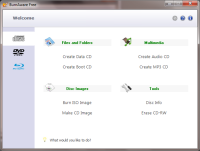
A launch window lets you choose the type of project you want and leads you through the process to completion. Navigating your directories is easy with BurnAware's file management system and adding files is as simple as highlighting them and hitting a button. BurnAware offers enough features for most burning projects. Features of BurnAware Free
Supports
Changes in BurnAware 3.0.6 :
Big picture - CDBurnerXP is a quick and easy solution for creating audio CDs,Video Discs (DVD and Vlu-Ray) and has extra features for ripping your audio CDs and finding track info on the Web. It adds sessions to multisession discs, burns on-the-fly, verifies burns, erases rewritable media; creates audio discs, creates video DVDs; command line version; LightScribe cover printing support with very basic designer supporting custom background images; enables access to drives for restricted users; multilingual; some advanced features and options. I like CDBurnerXP's clean user interface. The four-paned interface makes it easy to find what you are looking for. You can then drop-and-drag files to your chosen media. Also the audio player, which is included, helps you ensure you have captured the tracks you want. You may find the dropbox window handy as it allows you to browse your files using Windows Explorer and then quickly drop-and-drag files to your burn list as you go. Judging from other user reviews, some people had trouble with CDBurnerXP when burning data DVDs although I did find I was able to use this function without too many hassles. Once again, CD BurnerXP supports common types of optical discs like CD, DVD, and Blue-Ray discs including double layer mediums. You will find creating Audio CDs, Video Discs, DVD or Blue-Ray, very easy. I found dealing with re-writeable media is also very comfortable with this program. ISO files can be created and burned as well with support of converting BIN/NRG file formats into ISO.
Editor's Advisory Note: CDBurnerXP is now bundled with OpenCandy. See this article for more information.
InfraRecorder is a respectable burning program, but it has a few disadvantages as well. It does not support Blu-Ray discs or HD-DVDs. It also does not include many advanced options for tweaking the burn process to perfection like ImgBurn. Its interface isn’t as nice as that of BurnAware Free, and it doesn’t have any extra features like CDBurnerXP. Aside from these possible downsides, it feels like a solid program that definitely deserves a chance at becoming a part of your favored software collection.
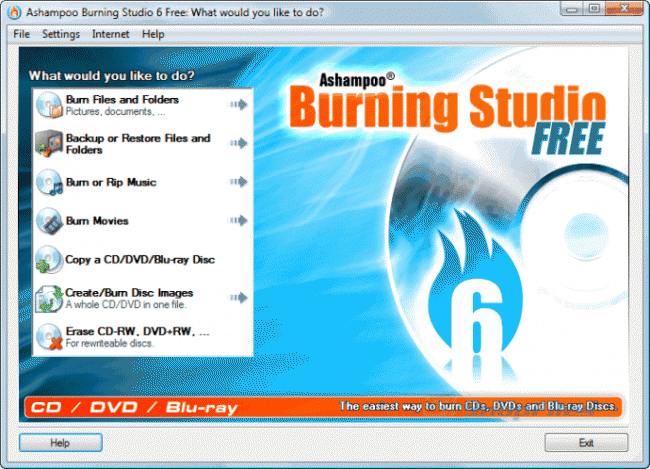
Anybody who is struggling with the ever increasing complexity of CD and DVD burning applications then Ashampoo 6.77 may be the answer you are looking for. If you want a program that focuses on burning discs quickly and easily with quality and a minimum fuss then this could be the program may well suit your needs. This version retains all the advantages of previous versions as well as adding multi-disc file backups and restores on CD, DVD and Blu-Ray. The program creates compressed backup archives with powerful password protection as well as splitting archives automatically across multiple CDs, DVDs or Blu-ray discs. I loved the fact it restored the archive contents to their original locations Ashampoo Burning Studio 6.77 FREE also features , an integrated audio CD ripper which stores your audio tracks as WMA or WAV files with an option across all formats to set the number of copies you want to burn. All discs can now be verified without ejecting first.
|



|
Related Products and Links
|
|
||||||||||||||||||||||||
|
||||||||||||||||||||||||
|
||||||||||||||||||||||||
|
||||||||||||||||||||||||


Ashampoo Burning Studio
|
||
 |
Full featured CD/DVD/Blu-Ray burning suite that enables you to create data, music, video and audio discs | |
 |
Tries to install toolbar. Need to deselect if not wanted | |
 |
www.ashampoo.com | |
 |
http://download.cnet.com/Ashampoo-Burning-Studio-Free/3000-2646_4-10776287.html?part=dl-61683&subj=dl&tag=button | |
 |
16.39 MB  6.80 6.80  Unrestricted Freeware Unrestricted Freeware  Windows XP/Vista/7 Windows XP/Vista/7 |
|
 |
64 Bit version available  Portable version not available Portable version not available |
|
 |
Requires registration within 10 days | |
|
This software category is in need of an editor. If you are interested in taking it over then check out this page for more details. You can then contact us from that page or by clicking here. |

- Article type:
 Printer-friendly version
Comments
Since a few updates ago (of the software), CDBurnerXP has suddenly failed to burn a DVD-video to a Rewritable disc that is compatible with my standalone player.
I've tried both creating an "official" DVD-video through the software's menu, and simply by importing AUDIO_TS and VIDEO_TS folders into a data-DVD setup. Neither ended up working with my standalone player, whereas they did after i had first installed the software several months ago. (Yes, i do have Microsoft .NET framework).
I don't know what the reason is (i assume one of the updates changed 'something') but as an "average user" i'm not supposed to care either. It just failed to create compatible DVD's, that's all i need to know, and so i'll have to move on to another app. Seems like BurnAware is the one to try now (although it didn't make any compatible DVDs either about a year ago, hopefully it works better now).
JetBee free
CDBurnerXP is a great software, full-featured, great clean look, but...
My experience with CDBurnerXP was not so fortunate. In the instalation process I saw a reference to associating the program with .dxp and .axp files. Don`t really know what they are. All went ok until I tryied to open an .dxp project file made with Droppix Label Maker, just to see what happens. Well... an error screen appeared with no info at all and the program won`t start. I tryied to reinstall the software, reinstall .NET Framework, clean up all registry reference, manually remove all files scatered trough the system, but no luck. Same error appeares and the program still don`t start. My last option is a Windows reinstall, but I don`t want to get to such a drastic measure. Hopefully, with some bug fixes, it will run again, but even the error reporting feature don`t work.
Does anyone have some kind of ideea about what happened here ?
Thanks,
Ovidiu Zeicu
Romania
I just downloaded and tried CDBurnerXP version 4.0.024 and my first attempt to use it found an unacceptable problem.
I attempted to create a music CD and CDBurnerXP told me that the music took more time than the CD could hold.
I successfully burned the same .mp3 files to the same CD using another application.
Were you using a CD-RW? If so, tell the program to erase it, and then your compilation should fit fine.
As others also pointed out, I think for CDBurnerXP it would be helpful if under "Additional Software Required" it actually states that .NET Framework is necessary.
Not the unicode file names
The best CD/DVD burning software has to be ImgBurn (v2.0.0.0 or later). It is a very versatile application and since version 2 you can first make an image file from folders/files on a computer and then burn the image to disc. This way you will never have any problems with unfinalized discs when used in another computer. It will also run as a portable program and is great to have on a USB drive when using another computer.
ImgBurn is now the program I use for all my burning tasks.
nice list
I found another some more over here
http://www.bizzntech.com/2008/03/10/10-free-cddvd-burning-softwares
It contains 10 free softys so I thought i would share with you
Imgburn is working very well on XP and Vista, I specially like the advanced options - read the manual first. CDBurnerXP is full of bugs.
I'm sorry but the user interface for CDBurnerXP sucks!
There should be a second listing for the easiest to use burning program. It doesn't have to do everything, just be easy to use.
Ashampoo Burning Studio 6 FREE is easily the best free burning application available for everyday needs.
I use Ashampoo Burning Studio 6.5 and it works for me, though I don't really burn a lot. But I think you should include it in your list and review.
I had issues with CD burner XP. I wouldn't recommend this program to anyone. It messed up my DVD.
Jerry
JErry
Thanks for your comment, I used this sofware for the past year without any issue.
Would you please let me know if you contacted CDBurner XP support ?
Best Regards
Hi,
thanks for your comment, would you let us know what freeware you are using and what are the negative points of the current UI of CDBurner XP ?
Hi
This software will be part of this month testing thanks for the reference.
HI Thanks for your feedback.
Pelase let me know what other software you tested and what are the extra value of ImgBurn so I can update my review.
Thanks a lot for your contribution.
Best Regards
JD
Hi
Thanks for your comment. this is the case in the last updated version.
best regards
JD
CDBurnerXP and InfraRecorder both copy discs, but I've never been able to confirm if this means they clone them 100% exactly. I've tried copying discs before to make backups with some of these programs, but they have always failed. I'm with you.
If anybody knows of a program that does this well, please do comment!
Its just not easy to use at all. I don't know how to describe it, the user interface is just bad. I personally use Nero 6, which isn't freeware. I use to use HT fireman, but that is no longer freeware, and does not work on Vista. I've used imgBurn, and while the user interface is not the most inviting I found it easier to use than CDburnerXP.
Hi
Thanks. OK.
The most impotant is the drive.But if you look for the best burning software - GEAR Pro 7 Master Edition.The copy is just like original.Believe me.
Honestly,I don't see why folks seem to think CD Burner XP is a great program.I've tried 3 versions,and just downloaded and tried this new version,and it is buggy as all get out,just as previous versions were.
It refused to burn a CD,saying the media I was using (Maxell 80 min/700mb blank cd) wouldn't hold all the tracks I was trying to burn,while clearly showing it could,with several megs/minutes leftover.I switched to the pre-installed version of "Power DVD" I got with my new computer,which burned it with no problem,then burned another copy using Windows Media player 11 with no problem as well.In fact,I use Windows media player to burn cds all the time,and have never once had an issue with it.Are people just such Microsoft haters that they refuse to use the most obvious solutions that come with every version of Windows??? I'm all for open-source software,and use a lot of it.That's why when I see a program that claims to do something better I try it out.But often,it's really inferior to the Microsoft product at their fingertips.So,I say,"If it ain't broke,don't fix it".
I have used it without any problems for some time now. I agree with Jean that it is a great program to use.
One of the problems with CDburnerXP is that when copying an audio CD it hangs at 50%. I found others on the internet with same problem, but no solution.
This seems to have been fixed for version 4.1.2 released on 2008-06-28. See details here.
Can you recommend a burner with menu layout option? I need to put several files into the same dvd
Been using CDBurnerXP for ages it's a great product!
Why on earth is it that Ashampoo's Burning Studio 2009 (YES it IS free) not included? It's by far the best I've tried so far.
Post new comment