
Best Free BitTorrent Client [1]
|
In a Hurry?
|
 Go straight to the Quick Selection Guide Go straight to the Quick Selection Guide |
|
Introduction
|
|
Since its inauspicious public appearance [3] just under 12 years ago bittorrent has become one of the major download formats. With good reason too: it's fast, equitable and efficient. For the downloader, bittorrent offers an uncorrupted copy of the original with the option to stop the download at any time and re-start from where the download left off (very useful for those on shaky internet connections) This article is part of a series of articles on bittorrent here at Gizmo's Freeware. If you are not familiar with bittorrent, then before using this article you should read this: There are setup guides here at Gizmo's Freeware for each of these suggested free bittorrent clients. Links to the guides are with the product description in the Quick Selection Guide at the end of the review. This review was prepared on February 8, 2013, and the testing was conducted in the two weeks before that date and used the latest versions of the clients at that time. Testing Anyone with knowledge of bittorrent knows that it is nearly impossible to have a testing procedure that is foolproof in measuring small differentials in speed among bittorrent clients. This is due to the fact that your download speed depends on the upload of other active users and there is no control over their actions while testing. However, I have been testing clients for this category for several years and am convinced that the better clients can be separated from the others. There were 7 rounds of testing to boil down the 17 clients tested to the 7 in the review. Six torrents and three magnet links were used in this part of the testing. I then conducted several tests in two rounds of testing to determine the Top Pick. I did post pdf copies of my notes for each round of testing: Bittorrent Testing 2013 Notes [5] All of the clients listed in the review had excellent performance on all of the testing, so all are superior bittorrent clients. The speed performance on the testing was a factor. Even though the speed differences were small, some consistently performed slightly better. Features and support were also factors. CPU and RAM mattered in that a client without many features that had high CPU or RAM use would fall to one with low CPU/RAM use. Toolbars and addons in the installation process were a slight factor. Testing was performed on Windows 7 64bit. About Me I am not a technical expert, but I have been using bittorrent since 2003. Before coming to Gizmo's I was the Administrator at a general bittorrent forum site, giving assistance on a variety of clients, and a moderator at the Vuze fora. I still view a number of bittorrent fora and the fora of the various bittorrent clients. This gives me a good idea of what the average user is looking for in a bittorrent client.Ranking All of these clients have the basic bittorrent features like DHT, PEX, encryption and UPnP. All seven of the bittorrent clients listed here performed excellently on all test torrents. Speed and performance was a factor, but features and support facilities were major considerations. A clean installation (without toolbars or ads) was a plus. Most people just want a client to download torrents, but there are some features that a number of users like to use, such as a built in IP Filter, use of RSS feeds, proxy support, a scheduler and a web interface. I will make note of those that have installs or other changes to your system that are not necessary for the proper function of the bittorrent client. I strongly suggest that if you choose a bittorrent client that has these unnecessary add ons, to not accept those changes or add ons. I have put up guides to help with the installation of the three clients that have these unnecessary steps in the installation process. |
|
Discussion
|
|
All seven of these clients performed excellently on all the test torrents and any one of them will meet your needs as a bittorrent client. There was some slight download speed differentials, but nothing too significant.
Pros: Stable and efficient with a good variety of options. Developers are active and responsive to user requests. Attractive interface. Good help resources. Clean install.
Pros: Low and stable RAM and CPU with all the necessary features. Fastest performance on torrents. Development still seems to be very active and responsive to users. Clean install, no addons etc. Cross platform client. Cons: Support has improved, but could be better. Not that well known and not accepted at many private torrent sites (though the situation is improving). These next three clients include the Spigot Toolbar along with home page and search engine changes in their installation. The Spigot toolbar is considered malware by many and their site has a red (high risk) warning from WOT. [15] 2 also have Open Candy software suggestions during install and 1 has software suggestions that may be Open Candy, but I cannot confirm. I suggest that you decline all such offers. Since I have seen so many users complain of the toolbars and changes taking effect after installation, I have put up installation guides (see Quick Selection Guide) to help avoid these unnecessary extras, I had considered removing these three from the suggested list because of the Spigot toolbar. However, since I am going to start re-testing (and re-writing this review) soon, I will leave as is for now. I strongly suggest that you use one of the other 4 clients suggested here.
Pros: There is a wide variety of options and information within the program and an impressive array of plugins [16] to satisfy any need. Support for VPN and Proxy use is superior. Streaming capability. Cross platform. Cons: Toolbar install and home page change enabled at default on install. Advertisements within free version of Vuze interface (can be avoided by using Classic interface). Highest RAM use of the clients here. Spigot toolbar offered during install along with home page and search engine changes. Software offers similar to Open Candy.
Pros: Excellent speeds on torrents, efficient and stable client with a large amount of features packed into a tiny package. Excellent help resources. Streaming capability. Cons: Has had critical security alerts at Secunia [23]. (though none on this version). Toolbar install (not necessary for program) and search/home page change enabled at default on install. Unnecessary software offered during install. Recent versions of µTorrent have been in disfavor at many private sites, supposedly for reporting to the tracker issues. Spigot toolbar offered during install along with home page and search engine changes. Software offers from Open Candy [24].
Even though the two clients are the same, BitTorrent is still banned at most private torrent sites (even though they accept µTorrent). Like µTorrent, BitTorrent is a small and efficient bittorrent client with a great deal of features and will appeal to many despite the "extras" in the installation. Bittorrent: Spigot toolbar offered during install along with home page and search engine changes. Software offers from Open Candy [24]. These last two clients offer a clean installation and performed excellently on the test torrents. Their lack of support and some features is the reason they are last on this review.
Pros: Efficient and stable with excellent speeds. Simple interface. Clean install, no addons etc. Cons: Not an "official" release of the Transmission team and is lacking help resources. Missing some features
Pros: Small, efficient and fast bittorrent client. Lowest RAM use of the suggested clients. Cons: Missing some features. Support is weak. Releases have been sporadic. |

 Vuze
Vuze


|
Related Products and Links
|
|
A full listing of the bittorrent help pages here at Gizmo's Freeware is now at There are also links to the guides for each suggested bittorrent client in the Quick Selection Guide below. |
Tixati


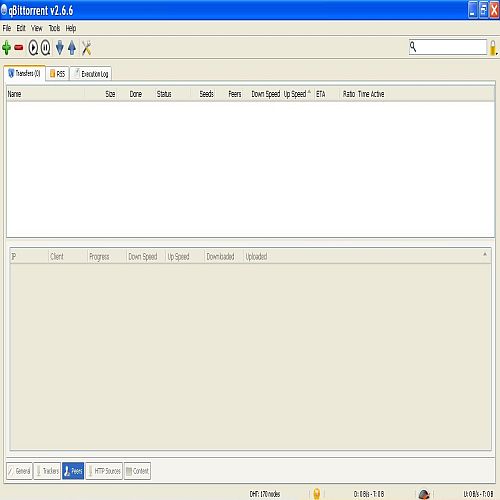
qBittorrent

µTorrent
- Installing µTorrent Without Toolbar and Ads [40]
- Optimizing µTorrent For Speed [41]
- µTorrent Help: Using [42]µTorrent's Torrent Search [42]
- µTorrent Help: Selecting Files To Download [43]
- µTorrent Help: How To Hide & Lock µTorrent [44]
- µTorrent Help: Dealing With ISP Interference [45]
- µTorrent Help: Moving Downloads Into Category Folders [46]
- µTorrent Help: Additional µTorrent Settings [47]
BitTorrent
- Installing BitTorrent Without Toolbar and Ads [40]
- Optimizing BitTorrent For Speed [41]
- BitTorrent Help: Using BitTorrent's Torrent Search [42]
- BitTorrent Help: Selecting Files To Download [43]
- BitTorrent Help: How To Hide & Lock BitTorrent [44]
- BitTorrent Help: Dealing With ISP Interference [45]
- BitTorrent Help: Moving Downloads Into Category Folders [46]
- BitTorrent Help: Additional BitTorrent Settings [47]
Vuze
Transmission-QT (Windows)
Halite