

Best Free Backgammon for Mac OS
-
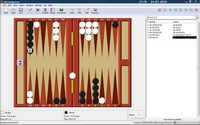
"GNU Backgammon houses the all powerful GnuBG neural network engine in an ambitious freeware project which should delight all backgammon enthusiasts.
There's a wealth of advanced options and capabilities. Getting used to the slightly quaint ways of this open-source program takes a while. However, the documentation is extensive and there's an excellent tutorial." (Review)
Best Free Billiards and Pool Game for Mac OS
-
"Play 8-ball pool against computer or your friend. Game features include one or two players modes, for left and right hands, real 3D ball animation and hints for precise aiming."
Best Free Breakout Game for Mac OS
-
"An extremely polished Breakout Clone which was originally developed for Linux but also has Windows and Mac ports. The game features a two-player mode, fine animations and graphics, excellent controls, the ability to save a game, a level editor, and a turbo key.
This game gets regular Level Set updates therefore the fun continues well beyond when you have mastered the 50+ levels that come with the original game." (Review)

Best Free Chess for Mac OS
-
"Sigma has an excellent reputation with Mac users. It comes with its own built-in engine which can be adjusted for strength. Alternatively, you can download a version bundled with the free Lite version of the powerful HIARCS engine for Mac. You can also add in various Mac-compatible UCI Engines, including Fruit.
Sigma accepts PGN/EPD databases and is compatible with the free ExaChess Lite database program for Macintosh. Appearance can be customized within the program and by adding 3rd party plug-ins; there's also an option for a true perspective 3D board" (Review)

Best Free Chinese Chess for Mac OS
-
"HOXChess is top recommended free Chinese chess and a well designed open source program supporting multi platforms. It even has a mobile version for iPhone or iPod Touch available for free download from the App Store.
You can use the application to open a saved table, play against a computer engine, or play other people online for free via a variety of remote servers such as PlayXiangqi and Chesscape. The user interface is appealing and highly configurable with optional boards and chessmen designed to your liking." (Review)

Best Free Computer Go for Mac OS
-
"It's a highly recommendable program which allows you to play Go against your computer or online and has a pleasant and reasonably intuitive interface with the 2D or 3D board and adjustable engine strength.
In general, PANDA-glGo offers many features but is also beginner-friendly. It even has a charmingly illustrated tutorial teaching the rules of the game." (Review)

Best Free First-Person Shooter for Mac OS
-
"Urban Terror, commonly abbreviated to UrT, is an action based FPS. It is only multiplayer. Described as "fun over realism" by the creators, the game has fast paced, intense game-play.
UrT doesn't throw realism to the wind mind you, but rather tries to enhance game-play with elements like powerslides and wallhops. There are five different game types: Death match (DM), team death match (Team DM), Survivor, Capture the flag (CTF), and Bomb. You are given a choice of eleven different guns, and two pistols, with optional attachments." (Review)
-
"It was once the epitome of the freeware FPS. Last updated in 2006 the graphics are still modern, but by no means cutting edge anymore. It still has extraordinary game-play, allowing you to crouch, prone, look down your scope, and lean out from behind walls. It does not disappoint in this section.
It has many maps, and even more custom maps, and there's always something new and exciting. Although the fan base has all but died off, there are still over five hundred servers and enough people to give you a good time." (Review)
-
Cube is an open source multiplayer and singleplayer first person shooter game built on an entirely new and very unconventional engine. Cube is a landscape-style engine that pretends to be an indoor FPS engine, which combines very high precision dynamic occlusion culling with a form of geometric mipmapping on the whole world for dynamic LOD for configurable fps & graphic detail on most machines. Uses OpenGL & SDL.


Best Free Hearts Game for Mac OS
-
"One of the recommendable free products for the Hearts game though it requires you to upgrade to a full version if you need additional features. Learn to play with its in-game tutorials if you are new to the game.
This application comes with unique graphic design, full of color, sound and visual effects, such as flip-and-turn of the playing cards, etc. You choose to play with computer opponents or with people from around the world over the Internet connecting to its online game server." (Review)

Best Free Jigsaw Puzzle for Mac OS
-
"A free jigsaw puzzle game comes with 64 beautiful puzzles for you to solve. Each puzzle can be played many times over by changing the number of pieces or the style of pieces. Simply right-click a completed puzzle icon to start it over."
Best Free Lego Building Software for Mac OS
-
"Lego Digital Designer (LDD) is the official Lego CAD-like program. For many this smart toy will be a clear first choice. The graphics and controls are excellent. If you're accustomed to Google Earth, then you'll probably soon feel at home navigating in 3D on the virtual grid, moving building blocks and turning them through 90 degrees.
A child-friendly user manual is provided, and there’s also a series of brief video tutorials on the LDD site to help you get started. It's up to you to mix the build and thrill. For some children, this free toy might be a fun first step towards the world of creative 3D computer graphics and CAD." (Review)

Best Free Match-3 Puzzle for Mac OS
-
"Shoot a bubble up to match and clear three or more same color bubbles from the playing field in this popular puzzle game, designed with colorful 3D rendered penguin animations and 15 stereo sound effects.
Frozen Bubble comes with editable 100 levels for 1-player game, or hours and hours of 2-player game. Play this game with the left or right key to aim your shot and up key to fire. Hone your skills in speed and accuracy before the bubbles get frozen!" (Review)

Best Free Physics Game for Mac OS
-
 "An excellent open source and multi-platform with 35 built-in levels. It has more to offer than the free prototype of Crayon Physics Deluxe.
You're able to draw custom shapes and have access to all levels at once, so you don't have to worry if you get stuck at a level. The sketches look more like what a 3 year old has drawn and don't have the professional feel of Crayon Physics. But who cares? I'm also not an artist!" (Review)

Best Free Reversi for Mac OS
-
"A powerful, simple, fast Othello board for Mac OS X. You can use it to play the game of Othello against the program, review and analyze games, browse through the WThor database for instant access to tournament games, and practice your endgame skills by solving graduated puzzles."
Best Free Sandbox Game for Mac OS
-
"It is so horrendously in depth that it's nearing insanity. Everything from the dynamic flow of water in the moats to several dozen types of ore, gems, and utility stone is by the book. You can spend anything from minutes to hours playing this 'uber' creative game.
Best of all it's only in alpha which is the infant stage of all computer games. However, for the first few hours there is a steep learning curve - you'll probably be unsure of what you're doing." (Review)

Best Free Solitaire for Mac OS
-
"A beautiful card game with an easy-to-use user interface, more than 20 uniquely different variations of Solitaire, statistics for each game, three-level hint system and other options."
-
"Place all the cards in each suit in stacks of ascending rank in this Klondike solitaire, a popular solitaire card game, with clean and vivid graphics and game features including deal 1 or 3 cards, scoring option, autosave when exit, background and card deck themes."
-
"Combines five free solitaire games into one app, including Freecell, Golf, Klondike, Pyramid and Yukon, with sound effects, automatic saving and loading, and detailed help for you to learn new games easily."
Best Free Sudoku Puzzle, Generator and Solver for Mac OS
-
"An open source program allows you to generate sudoku puzzles in five different and configurable difficulty levels. It also includes a solver and an analyzer to help you solve the puzzles.
You can view a summary of solving techniques and solution paths, with the steps on the corresponding grid to help you analyze the game. You can also opt for a practising mode, tick one or more techniques to be included in a new puzzle. It's not only a game to play but also a nice tool for learning and honing your skills." (Review)
-
"This application allows you to create, solve and analyze Sudokus with six levels of difficulties ranging from Simple to Master levels."

 We are looking for people with skills or interest in the following areas:
Comments
Is there any way I can batch remove 3249 unwanted emails from my ipad. I have mail "ruled" to avoid spam on my syncd mac but the syncing seeme to occur prior to the sorting.
Since Bean is no longer being developed, I'd recommend replacing it with Growly Write, which is excellent, small, and very actively supported by its developer Chris Mason, long ago project head for Microsoft Word 5 ("back when Word was fun," as he says). http://growlybird.com/write/index.html
Also, nothing wrong with FileZilla, but why a separate app installed when you can use the excellent FireFTP add-on for Firefox? http://fireftp.net/
I Just found out about this Mac utility app called Magician. It has many functions-various cleaning utils,duplicate finder,memory optimization,left and right fan speed adjustment,app uninstaller, and more.
I was impressed by what this program can do, definitely worth giving it a look to compare it to CLeanMyMac and others...
http://www.magicansoft.com/magican.html