
Extract Text from Images, Videos and PDF's with This Browser Add-On [1]
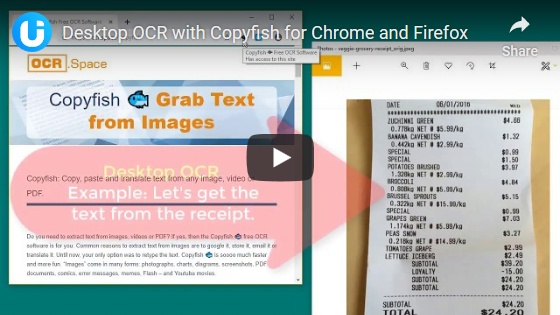
Copyfish is a free optical character recognition (OCR) extension for Firefox and Chrome web browsers. It extracts text from images, videos and PDF files.
This add-on for Chrome and Firefox lets you extract text from almost anything in a browser tab. It can extract text from videos, PDF files, and images including photos, screenshots, memes, error messages, etc.
Copyfish puts a fish shaped button in the address bar of your browser. To use Copyfish, click on the fish icon, select the area with the text you want extracted and Copyfish opens a separate window, extracts and displays the extracted text. The overlay lets you verify the text. You can choose to copy the text to the clipboard, redo the OCR, and recapture, or translate text. The translate button opens a new window showing Google Translate with your text pre-pasted so all you have to do is choose languages. (update: the translate feature has been added the paid plan)
If you need to extract text from an image, video or PDF, this is a good resource. It does a good job on most items, but as with most OCR programs there are items that scan well and some that don't. If you want a quick and easy way to extract text with a reasonable expectation of success and the ability to edit as needed, this does a good job. It didn't work on a few PDF files that were online, and the same PDF files worked in Chrome and not in Firefox. The good thing about it is that the text extraction is done in your browser and not stored anywhere. The downside is that it adds another add-on to the browser.
Copyfish does a good job with basic tasks. If you're looking for more functions there are two paid for plans with extra features.
You can find more Tech Treats here [5].