
Cameyo - Application virtualization for Windows [1]
The word virtualization has many connotations for end users. As we have discussed [3] some time ago right here on Gizmo's Freeware, light virtualization and sandboxing seem to be the most popular concepts with casual geeks, as opposed to hardcore nerds, who prefer [4] the full, complete stack.
In the Windows world, the focus is often on security. To wit, sandboxing tools, shadow software and other forms of thin-app provisioning designed to help contain user programs from doing unwarranted harm, spoiling the pristine look and feel of their operating system. How about flexibility and portability, though? We sure do have portable [5] apps, a very hot item. But maybe a third kind of solution might work the best? Ladies and gentlefolk, say hello to Cameyo [6], an application virtualization software.
What it does
Cameyo is a program designed to create standalone, independent and portable application containers from your software installation. The registered version can also provision packages using its own cloud, without forcing you to install anything. But I am sure getting ahead of myself.
Anyhow, Cameyo works as follows. You fire up the program, and based on your set of features, you run a local or remote installation, capturing the changes to your system, including files, folders, registry, and other items. Once this step is complete, Cameyo replicates the steps in a virtual file system of its own, sort of like Linux chroot, and it copies the necessary binaries, files and keys to make a portable version of your installed app.
Once this step is complete, you can take the Cameyo package and distribute it as you want, within the limits of the law, of course, or use it in a portable manner on another machine, without sullying the registry or the startup menu or anything of that kind. in a nutshell, it is thin-provisioning, but it's also sandboxing and portable apps all at once. A hybrid beast, and now, we will see how well it works. You may have a read [7] brief overview two years back, written by Robert, but now I'm going to expand. Collaborate and listen, as our would-be friend Vanilla Ice would say.
Cameyo demo
When you launch the program the first time, it will ask you what you want to do. The top option launches the main interface. The second allows you to capture an installation, and the last one allows you to edit an existing one. We will start with the first one.
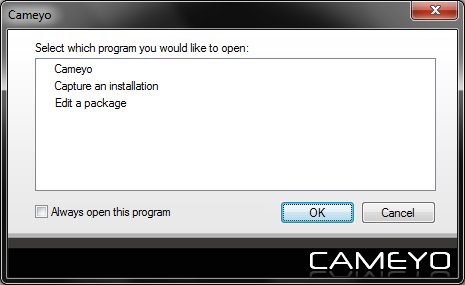 [8]
[8]
You need to register the software to use the cloud and the studio, as well as receive updates, but you can browse the local library, edit existing applications and create new apps without it.
 [9]
[9]
Packaging an application
And now the fun part begins. You should avoid running Windows Update or any other system upgrade in the background while using Cameyo to avoid unnecessary junk being bundled with your application. Let the local installation complete normally, and then wait for Cameyo to wrap it up.
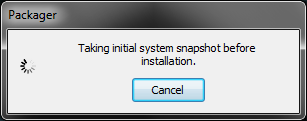 [10]
[10]
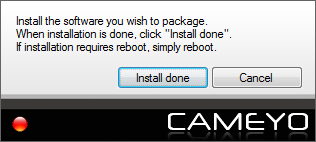 [11]
[11]
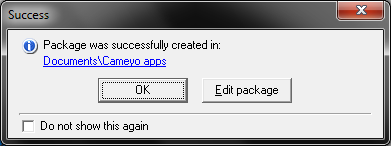 [12]
[12]
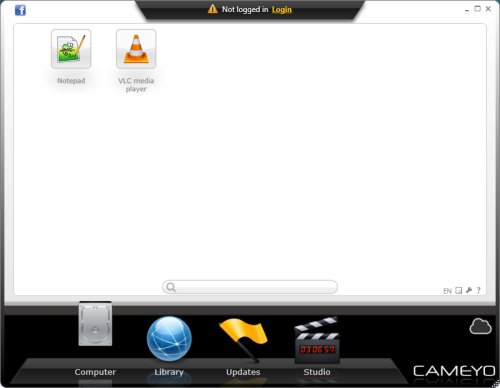
Then, you will find your new packages, waiting for you right there. For example, in my case, Notepad++ weighed some 39MB worth of data, while VLC racked up a solid 54MB. True, both these fine products are available as portable apps in the first place, but you are not limited to just the obvious freeware options.
 [13]
[13]
Editing an existing package
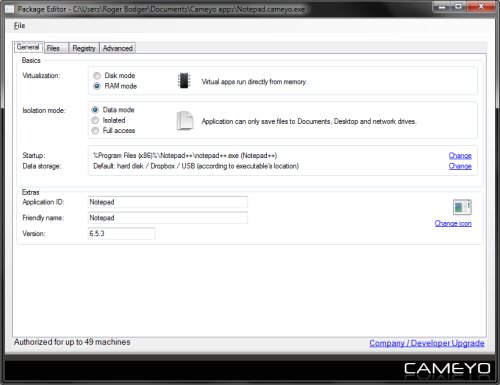
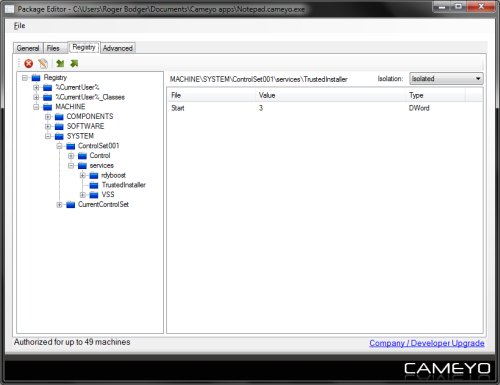
You might want to tweak some of the options after a package has been created. Most of the options are fairly advanced, and you should not change them unless you really understand what you're doing. But you can tweak the performance, security, cleanup after use, as well as many other features.
 [14]
[14]
 [15]
[15]
Conclusion
I think Cameyo application virtualization is a very decent program. It offers a mid-range flexibility between a full operating system virtualization and native installs, allowing you to choose the best approach to managing your systems. Whether it's security permissions, shortage of space, a dire need for tidiness, or something else, it is quite likely that Cameyo can satisfy your needs.
The program is very simple and intuitive to use, but the advanced options do need a bit of knowledge to utilize correctly. You are also kind of enticed to create an account and register your copy, so you can gain additional features. The online integration part sounds like the most useful component. All in all, there's no reason why you should not be testing, if only to see whether this application can satisfy your portability and flexibility needs. For Windows users, that is. And I guess that would be all for today.
Cheers.