|
|
-
Microsoft Security Essentials 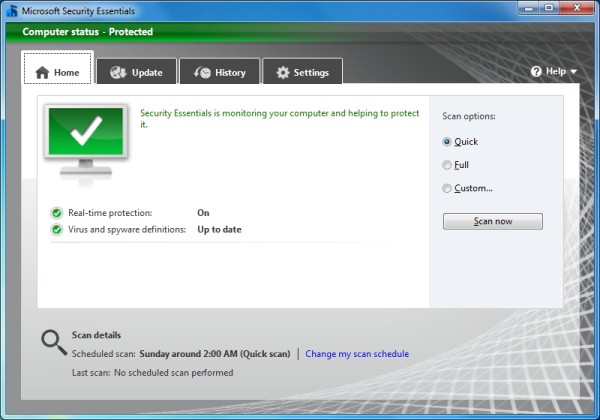
System Requirements: Windows XP and up
This may be the best free product ever from Microsoft, and it was chosen as Gizmo's Freeware 2010 Product of the Year . MSE is a free anti-malware program with an interface ideal for average users, and effectiveness ideal for advanced users as well. Its interface is simple and unobtrusive, and when it detects threats, it displays messages that are meaningful and easy to understand. It is light on resources, receives regular updates, and has exceptional detection rates. You can perform scans on demand, but it also continuously guards your system with real-time protection. The recent release of version 2 adds more features, including a "Network Inspection System" and a heuristics engine for a more comprehensive set of protective measures. Another feature added in the new version is the ability to adjust the maximum CPU usage the scanner uses – this is particularly useful if the computer in question is underpowered and the scanner needs to use less resources. Overall, MSE is an excellent product that rivals even some commercial antivirus software. (Review )
|
-
Microsoft Safety Scanner
System Requirements: Windows XP and up
This tool scans your computer for all types of malware threats and removes them if found. Unlike the Malicious Software Removal Tool which targets specific threats, Microsoft Safety Scanner includes complete definitions and looks for all viruses and malware. Because of this, however, the download is about 70MB large and expires after ten days - this is to ensure that an updated version is always used. The intended use of this tool is for emergency situations where installed security software has failed to detect/remove threats. It is true that other products serve this purpose, like Malwarebytes and SuperAntiSpyware, but it is nice to have options.
-
Malicious Software Removal Tool
System Requirements: Windows XP and up
This tool scans your computer for specific widespread virus threats and removes them if found. It is downloaded and executed in the background monthly via Windows Update, but you can download and run it on demand.
|
-
Microsoft Standalone System Sweeper Beta 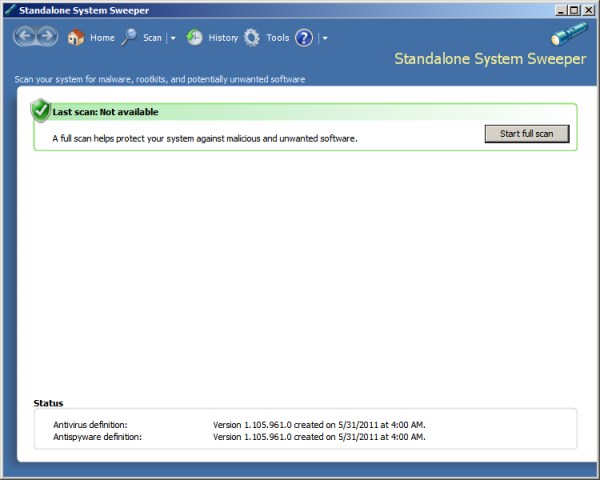
System Requirements: Windows XP SP3 and up - please see additional requirements listed here
This new offering from Microsoft allows you to create a bootable rescue system on a CD or USB flash drive (you can also create an ISO file as well). The rescue system contains a malware scanner that looks for all kinds of malware, including viruses, trojans, rootkits and more. For users who install it on a USB flash stick, you can update the definitions periodically by running the executable again. As with other rescue systems, the intended use for this tool is to save computers that are so infected they aren't bootable, usable, or can't be fixed with antivirus software installed on the system.
Some notes: First, please be aware this is a beta version so it may not be as stable or polished as the finished product will be. Second, choose the architecture (32- or 64-bit) that matches the computer on which you will be booting the rescue system. Third, XP users cannot generate ISO files unless IMAPIv2.0 is installed - you can find it here: 32-bit | 64-bit
|
-
Rootkit Revealer
System Requirements: Windows XP 32-bit only
I was originally exluding this from the list because it only works on XP and it doesn't remove the rootkits - the world has been gradually moving away from XP, and other software exists that is capable of detecting and removing rootkits (Microsoft Security Essentials does this remarkably well). However, I've included it because it is popular, lightweight, and really does what it does well. Just note that scan results don't guarantee the presence of rootkits, so please don't try acting upon them unless you're an expert.
|
-
Microsoft Baseline Security Analyzer
System Requirements: Windows 2000 and up
This tool analyzes a computer and provides a summary of how secure or insecure it is. Some of the things it checks for are security updates that have not yet been installed, settings that are not recommended (such as weak passwords, disabled firewall, etc), running services that may not be necessary, network shares, and more. This program can be a valuable tool for IT professionals, but it can also help average users who want to make sure their computers are as secure as possible.
|
-
Promqry
System Requirements: Windows 2000, XP only
This small utility is geared more toward IT professionals. It is used to query network computers to determine if they're running network sniffers (programs that are listening to network traffic, possibly to steal passwords and other information). It does have several limitations , but it can still be a valuable tool in detecting suspicious network behavior. Both gui and command line versions are available.
|
-
Enhanced Mitigation Experience Toolkit (EMET) 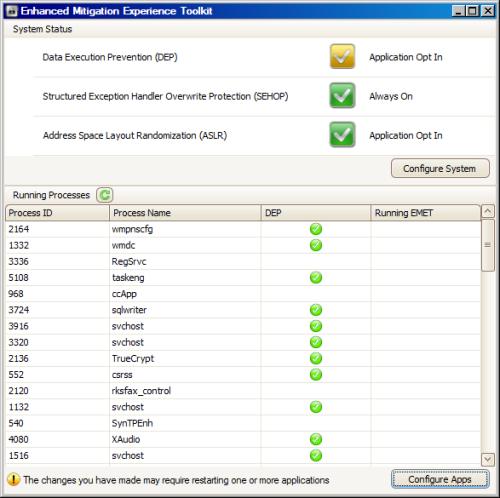
System Requirements: Windows XP SP3; Vista SP1 or later; Windows 7
This toolkit helps prevent security flaws in software from being exploited. It does this by employing various security mitigation technologies. This is especially useful when applied to older applications that have a multitude of security flaws, but it works for newer applications too. Its ease of use and high degree of configurability make EMET a valuable tool. Just be aware that some processes may break when certain mitigations are applied, so make sure your software works after applying them. Also note that you do not need to keep the main program running for your applications to be protected.
|
-
Windows Live Family Safety
System Requirements: Windows Vista and up; Click here for the XP version
Family Safety is a parental control program for filtering web content. It can also restrict email contacts. It has an activity log that allows you to see who tries to access which sites, and activity across multiple PCs with Family Safety installed can be collected in the same log.
|
-
Service packs are extremely important for the security and stability of the Windows operating systems. With a few exceptions (e.g. testing environments, rare occurrence of software incompatibility), it is always recommended to have the latest service pack installed, preferably through Windows Update. For those who have machines that for some reason can't use Windows Update, here are links to the various service packs available.
- Windows XP - SP1a | SP2 | SP3
- Windows XP Pro 64-bit - SP2
- Windows Vista 32-bit - SP1 | SP2
- Windows Vista 64-bit - SP1 | SP2
- Windows 7 - SP1 (validation required | KB976902 must be installed first)
|


 [120]
[120]