
All About the Windows 10 Upgrade App Including How to Get Rid of it [1]
Microsoft is keen to get all owners of legitimate Windows 7 and 8.1 systems to upgrade to Windows 10. The company has begun pushing an app that offers a way to reserve a free download of Windows 10 when it becomes available toward the end of July. If you have Windows updates enabled on systems with Windows 7 SP1 or Windows 8.1 Update, the app shows up automatically as a Windows icon in the notification area on the right side of the system tray. The image below shows the first screen of the upgrade app.
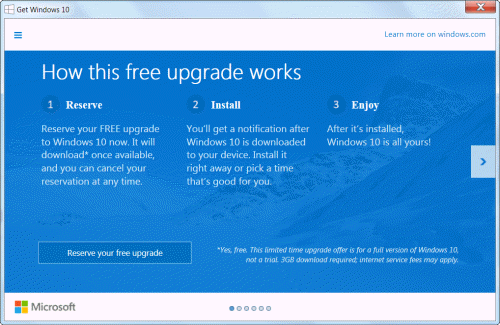
A variety of information about the Windows 10 upgrade process is provided by Microsoft at these two articles that have just been published:
But suppose you don’t want to reserve an upgrade to Windows 10 at this time? Here are two ways to get rid of the app.
1. Remove the app icon from the taskbar – Open the “Customize” dialog by clicking the small up-arrow at the left of the notification area and choose “Hide icon and notifications” for the icon labelled “GWX’. This does not actually remove the upgrade app but just hides it.
2. To actually remove the upgrade app, uninstall the Windows update KB3035583 [5]. This can be done in the Installed Updates section of Control Panel. I have tried this on a Windows 7 system and it worked fine. However, Windows updates can be problematic and the responsibility for the results of uninstalling rests with the user.You will still have the option to download and reinstall this Windows update. Once you have removed update KB3035583, Windows will continue to try to reinstall it unless you mark it as hidden.
Added later: Ghacks [6] has a list of additional Windows updates to be removed but there are comments there about problems caused by some of these removals. To repeat, choosing whether to remove any updates is the responsibility of the user. Always back up first.
Get your own favorite tip published! Know a neat tech tip or trick? Then why not have it published here and receive full credit? Click here to tell us your tip. [7]
This tips section is maintained by Vic Laurie [8]. Vic runs several websites with Windows how-to's, guides, and tutorials, including a site for learning about Windows and the Internet [9] and another with Windows 7 tips [10].
Click here [11] for more items like this. Better still, get Tech Tips delivered via your RSS feeder [12] or alternatively, have the RSS feed sent as email [13] direct to your in-box.