
|
In a Hurry?
|
 Go straight to the Quick Selection Guide Go straight to the Quick Selection Guide |
|
Introduction
|
|
MP3 has become the most common audio format for playback, storage and transfer of music. If we need to playback MP3 files with their tag information shown correctly, or to organize a large collection of MP3 files based on their tag information, a good MP3 tag editor will be helpful. In this category, both standalone and built-in MP3 tag editors are reviewed based on three basic needs which include:
|
|
Standalone Tag Editors
|
|
Files can be renamed with Music Renamer and tags can be generated from file names. TagScanner with its Tag Processor allows you to preview tags and cover arts from online databases before saving them into MP3 files. However, it does not come with a normal windows menu. You may need to spend some time to get yourself familiarized with its user interface. |
|
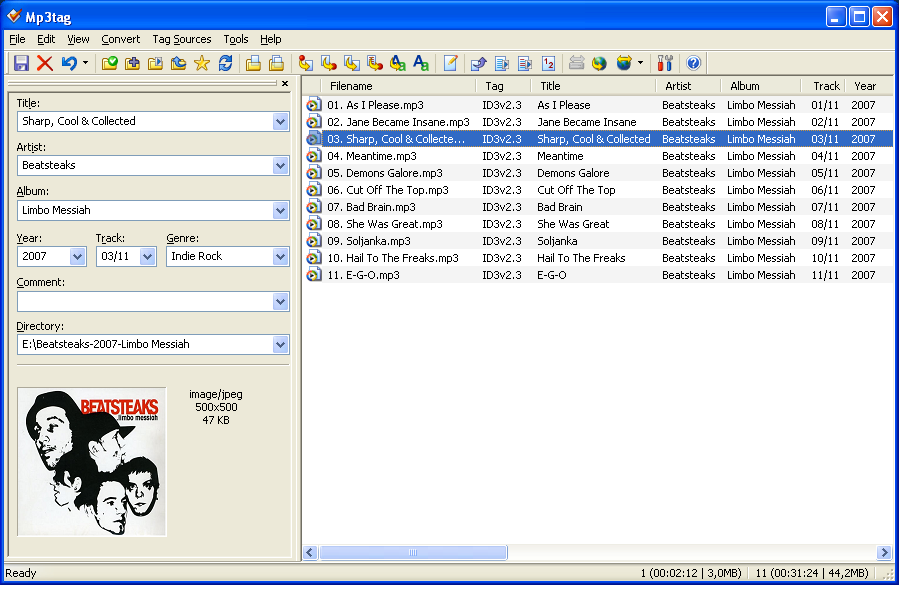
Basic tags are shown in a customizable front panel. Extended tags are shown in a separate window for all existing tags stored in your MP3 files. If a tag for lyrics or other info does not exist, it can be added, or if a tag is repeated, it can be removed easily. Mp3tag allows you to rename files based on the tag information, import or export tag information and create playlists. It supports online Amazon, freedb, MusicBrainz and other database look-ups, allowing you to auto tag and embed multiple images for album covers. It also has a powerful Web Sources Framework, allowing you to get album info from additional online databases. The latest web sources are available from Mp3tag Forums at Web Sources Archive [4]. You can download the ones you need, and extract them to your Mp3tag data folder in order to gain access to more online databases for auto tagging. |
|
The application allows for dragging and dropping a cover art to a file and helps searching album arts and lyrics via a browser from online resources as well. Other features include convert between ID3v1.1, ID3v2.3 and ID3v2.4 tags, edit tags of multiple files, generate playlist files, rename and create directories from tags, case conversion and export tags. Despite all the features, it lacks a column view available to other editors for glancing at the same tag fields but of different values in multiple files. Due to this, you can only see 'un-equal' signs in tags for different values when multiple files are selected. |
|
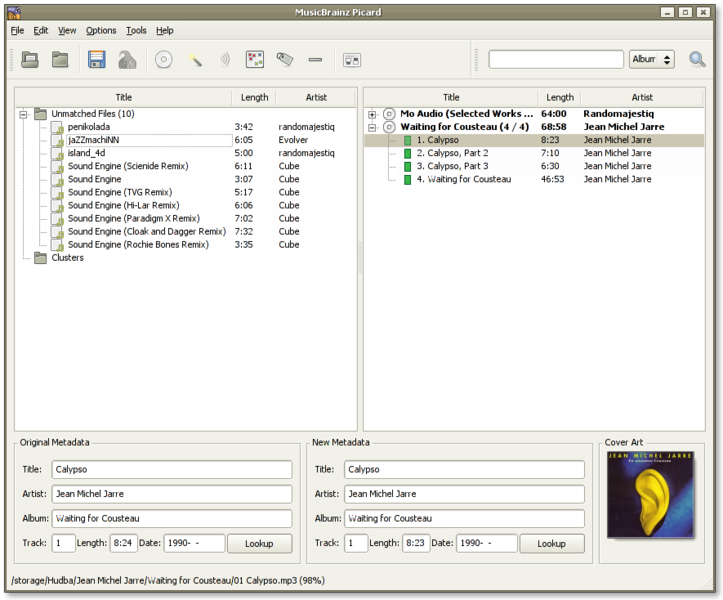
It identifies track information by comparing a unique digital thumbprint to the information in the MusicBrainz database. Once the tracks are best matched, you can save their respective tag information into selected MP3 files. How To Tag Files With Picard [7] is a helpful guide for a quick start. As with Mp3tag, checking the details of a selected file evokes a list of all existing tags, including lyrics, which you can then edit. If a tag doesn't currently exist, you can always add it. But in the version under review, cover art edits aren't possible except by updating from online databases. |
|
The program features a collapsible left panel for viewing or editing tags and cover art of a selected file. Another collapsible panel is placed to the right to search for cover arts or retrieve tags from the Database. Other than tagging from scripts and filenames, tagging from the acoustic fingerprint is supported and found to be quite accurate. Lyrics can be optionally added to the tag if retrieved from Wikia.com successfully. On the downside, the editor only supports for one cover art per file and its searching tags from the Database is found not quite stable. |
|
As regards tagging, it allows auto tag from file names or the Internet as well as identifying files. Another very useful feature is auto tagging of lyrics and album art from the Internet, even though retrieving cover art takes a while. Other features of the program include organizing or renaming files based on tag information, case conversion, removing tags, execute scripts, etc. The program is still under active development and has the potential to improve in quality. Don't be surprised if you encounter some handling errors in the current version under review. |
|
Under its library tab, it allows you to edit and show up to 4 pictures per album stored in MP3 files. Moreover, the "Search lyrics using Google" function gets you the results in a Google search page or the web page showing lyrics of the selected file. This expedites the search for lyrics but you need to copy and save them to the tag manually, not so efficient as MPTagThat. In addition to manual editing of tags, it provides auto tagging via online databases such as freedb, Allmusic and Amazon. However, All Music Guide is disabled due to possible terms of service violation, and the built-in Amazon search seems to retrieve tag info less successfully than other selected tag editors. Another drawback is that this program has no Unicode support. |




|
Built-in Tag Editors
|
|
It allows you to auto tag by albums or tracks, look up album arts, lyrics and other tag info from the web, save tags and embed lyrics and multiple images into the music files in your collection. The tedious tagging work is made so much easier and more intuitive now with this program.
It also supports editing lyrics and multiple images with types and descriptions for album art, and allows fixing of tags in your selected MP3 files with automatic lookup and tagging of album art and other track information from Amazon online database.
After installing AudioShell, you do not need to run it again. It adds 27 optional additional columns to show tags in Explorer "Details" view. Editing basic tags and the cover art of an MP3 file is allowed at Editor tab of Properties windows, and editing lyrics is allowed at Summary tab in Advanced mode. Group editing is possible by selecting multiple files. AudioShell does not offer connection to online databases, but it is a good program to accompany any one of the above applications. |


|
Other Tag Editors
|
|
These are other MP3 tag editors which were brought up in comments here or noted from other sources. As they are not rated in this review, I am listing them here with brief descriptions and links to their sites for ease of reference.
|
|
Have Your Say
|
| You are invited to share and discuss your views in our freeware forum [21]. To post in the forum you need to register first but that's quick and immediate. Alternatively, anyone can leave a comment at the bottom of this page. |
Please help us by rating this review
|
Related Products and Links
|
|
|||||||||||||||||||||
|
|||||||||||||||||||||
|
|||||||||||||||||||||
|
|||||||||||||||||||||
|
|||||||||||||||||||||
|
|||||||||||||||||||||
|
|||||||||||||||||||||
|
|||||||||||||||||||||
|
|||||||||||||||||||||
|
|||||||||||||||||||||


 5.1.597
  Unrestricted freeware
  Win 2000 to Win 7
  Portable version available


|
Editor
|
|
This article is maintained by volunteer editor Jojoyee [44]. |
|
Tags
|
|
mp3 tag, free mp3 tag, free tag editor, tag scanner, tag tools, mp3 tagger, tag editing software, freeware, free mp3 tagger |
 [45]
[45]