
|
In a Hurry?
|
 Go straight to the Quick Selection Guide Go straight to the Quick Selection Guide |
|
Introduction
|
|
When a maximized window is focused, the system will minimize other windows automatically. However, there are times we want a small window to be placed on top of other windows for cross reference even though when we click (focus) on a maximized window. Such applications as Calculator, Notepad, or DOS Command, etc., usually take up only a small part of the desktop area. It is definitely more convenient for cross reference if they are always placed on-top, instead of being minimized to the taskbar and we need to maximize them again the moment we need to refer to. These are free programs which enhance the features of the system and help keep the applications on top of other windows. |
|
Discussion
|
|
DeskPins features intelligent handling of various application types. It works on normal windows, skinned windows (such as Windows Media Player in skin mode), or a DOS command window. It also provides an option to enable autopins, change pin colors and other settings. If you just need the setting on-top feature, DeskPins is definitely the best choice among all candidates. |
|
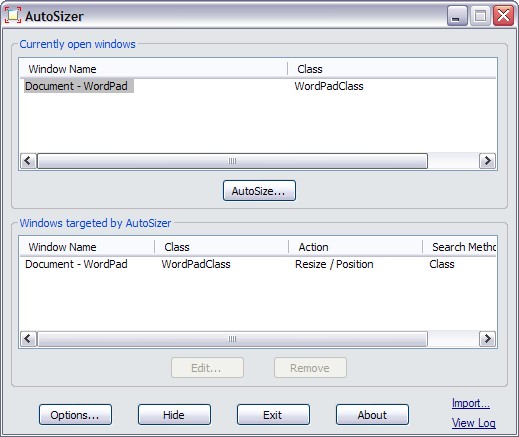
This program allows you to easily define which are the windows you need to consistently set them on top of other windows. It works well on DOS command window and skinned windows. As the name of the program implies, it also allows you to set the size and position of the windows you need to open, or to maximize or minimize the programs when they are run. |
|
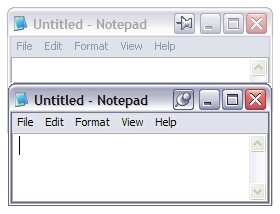
It comes with a drawback though. FileBox eXtender's pin cannot attach to some skinned or DOS command windows. In addition to setting on-top, it has other features such as roll-up windows, easy access to favourite and recent folders/documents with a click on Windows Explorer or a file open/save dialogue box. These features can be disabled if you do not need them. |
|
A drawback of the program is that it does not support some skinned windows, neither an XP's DOS command window. |
|
However, the program in the version under this review is found to have an issue when running on Vista. Upon shutting down Vista, you will encounter that TaskEng (Task Scheduler Engine Process) is still running and you need to select Shut down now or Cancel. Strangely either option you choose, Vista will proceed to shut down. |



|
Others
|
|
These are a number of other free applications for setting on-top windows. Some were brought up in comments here or noted from other sources. As they are not rated in this review, I am listing them here with brief descriptions and links to their sites for ease of reference.
|
|
Have Your Say
|
| You are invited to share and discuss your views in our freeware forum [13]. To post in the forum you need to register first but that's quick and immediate. Alternatively, anyone can leave a comment at the bottom of this page. |
Please help us by rating this review
|
|||||||||||||||||||||
|
|||||||||||||||||||||
|
|||||||||||||||||||||
|
|||||||||||||||||||||
|
|||||||||||||||||||||


 1.30
1.30  Unrestricted Freeware
  Win 95 to Vista


|
Editor
|
|
|
|
Tags
|
|
set on-top window, set window on-top, always on-top, stay on-top, pin windows, ontop window, freeware, free set on-top window, window manager |
 [23]
[23]