
Best Free Media Center Software [1]
Introduction
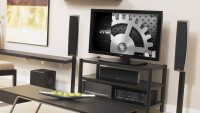 High Definition TVs are the long overdue technical revolution bringing computer capable monitors to our living room. Home theatre and media center PC's (HTPC [3]) are the perfect companion for these big screens for enjoying computers from the comfort of your sofa. Listening to music, viewing your online foto album or watching your digital videos with family and friends (or even alone for that matter) was never more enjoyable.
However, considering the larger distance between you and the screen most of the regular computer software is hard to read. Media Center Software is specifically addressing that by using large fonts and visual objects and providing specifically designed user interfaces for "sofa surfing".
Besides the built in media player and codec support, another great feature that good Media Center Software delivers to your finger tips is the intelligent managing and organizing of your media files, combined with downloading online information for movies, music or videos. Also, most of these programs come with a plugin API enabling you to install plugins for popular online sources like YouTube or Apple Movie Trailers.
I have been playing with Media Center Software now for a while, on Mac and Windows, and I would like to share my experiences with some of the best free products out there.
This is not a complete list of course and media center software is a lot about taste as well. If you like, leave a comment at the bottom of this page to share your view with us.
Rated Products


Platforms/Download: [field_blackberry_download] | iOS [7] | Linux [7] | Mac OS [7] | Windows (Desktop) [7] | [8]
Version reviewed: 18.2 "Leia"
George [9]
| Our Rating: 5/5 |
|
Read more... [6]

Platforms/Download: Linux [12] | Mac OS [12] | Windows (Desktop) [12] | [8]
Version reviewed: 0.9.16.4
George [9]
| Our Rating: 4/5 |
Read more... [11]
Related Products and Links
I also found the following products that I did not find appealing enough for me or a final release was not available yet. If you are interested in this kind of software I recommend to test drive them.
Windows Media Center - Poor video format support. Not available for Windows 10 anymore
Front Row [13] (Mac OS) - Unattractive GUI to me, poor video format support. Removed and discontinued in MacOS 10.7
MediaPortal [14] (Windows) - Room for graphical improvement, a bit complicated to use and configure
MythTV [15] (Linux) - Looks promising, can't test because not using Linux
If you like customizing your media center software, this is an excellent address for backdrop images:
What do I need for a Home Theater setup?
 [17]A Home Theater System is in principal the combination of an HDTV or UHDTV, a computer and an appropriate sound system. Modern TVs and computers now support HDMI and/or DVI digital output/input interfaces which makes it easy to send high resolution computer video output to your TV. While DVI (Digital Video Interface) only transports video signals, HDMI (High Definition Media Interface) also transports the audio signals. So if your computer and TV supports HDMI you just need to connect them with an HDMI cable and you can already use your computer with your TV as the monitor.
A Home Theater System is considered incomplete with proper surround sound. You will need an audio amplifier that can process surround sound. If you are planning to get one, make sure it supports the modern DTS HD audio format. Blu-Ray DVDs often come with an additional uncompressed master audio track that amplifiers need to able to process. You will be amazed how much more sound you get when listening to the uncompressed audio track. Besides the amplifier you need the speakers of course, 5 plus one subwoofer would be the basic setup. If you are not into all these details, your local Hifi/TV/Video store will offer several ready to go home theater sound systems incl. everything.
When it comes to the computer that you want to use in your living room you would want to consider some requirements. Mine were that it needed to fit under my TV stand and the it should integrate well design-wise. It needed to have digital output for video and audio and must be powerful enough to play media files. Bluetooth keyboard and mouse was a must and LAN connectivity was also important. I found a company that offered tailored systems like that with a nice black 19" casing. Kodi and VLC Media Player are the most important applications I use on it.
A good forum where you can get into more details about all these components is AVForums.com [18].