
|
Other Language?
|
 Read this article in Spanish [2] Read this article in Spanish [2] |
|
In a Hurry?
|
 Go straight to the Quick Selection Guide Go straight to the Quick Selection Guide |
 Whats Happening Here? Whats Happening Here? |
|
Help us! - Make this review better by providing us your sample files |
| Please help us to make this review better, by uploading sample files of these types on your system or do provide url's of sample files of any of these file types. Upload & share your files/links to http://bestfreemediaplayer.4shared.com [4] . Note that all the sample files should be below 150MB (<100MB is prefered). |
| 3GP,3G2,ASF,WMA,WMV,AVI,DIVX,EVO,F4V,FLV,MKV,MK3D,MKA,MKS,MCF,MP4,MPEG,PS, TS,M2TS,MXF,OGG,MOV,QT,RMVB,VOB,IFO,WebM |

 PotPlayer | KMPlayer | VLC Media Player |JetAudio Basic | SPlayer | UMPlayer | Kantaris Media Player | GOM Player | Media Player Classic Home Cinema | PotPlayer | KMPlayer | VLC Media Player |JetAudio Basic | SPlayer | UMPlayer | Kantaris Media Player | GOM Player | Media Player Classic Home Cinema | |

|
Real Player [5] | SMPlayer [6] | Light Alloy [3] | QQPlayer [7] | MPlayer WW [8] | VSO Media Player [9] | Splash Lite [10] | DivX Plus Player [11] | Snow Player [12] | DA Player [13] | Toolwiz Video Player [14] | Zoom Player Free [15] | FreeSmith Video Player [16] |

|
Finding an all-in-one media player used to be impossible. In the past you needed to use several separate programs to play MP3 files, streaming media from Real, Mpeg files, Quicktime movies, CDs and DVD discs, but with the advent of Microsoft's Windows Media Player (WMP), all of these media types could be played in one player. Over a period of time, however, WMP for XP and Vista has become bloated and isn't compatible with all of the available file formats. WinAmp, which began as an mp3 player, now plays almost everything, although it uses a lot of system resources and may contain adware if you aren't careful on the installation. iTunes has become more prevalent on many PCs due to the almost universal reach of the iPod, but it also uses a lot of resources and is processor intensive. So I've done some major research to find alternative media players capable of playing all of these media formats, including digital music, video, CD, and DVD, while still being light on resources. I was impressed with what I found. Not only do these programs replace WMP, iTunes and WinAmp, but they also exceeded their functionality. The products that I've reviewed here are capable of playing multiple types of media files, including various digital audio and video formats, CDs, and DVDs. They are also easy to install and use and are light on system resources. Note: Some of these programs may require additional codecs for expanded functionality. For more information about codecs, including what they do, legal issues and download links, see this article Understanding Codecs [19]. Also this is my piece of advice for the readers of Gizmo's reviews especially the inexperienced computer users, if you really trust Gizmo's choices and advices please read the reviews before you try out something so that you don't run into trouble. I try to provide practically every information i can get from every software and pass it on to the readers. |
PotPlayer
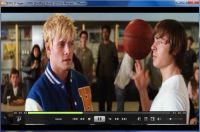
Originally a Korean media player, the English version has redesigned the menus and have been almost fully translated. It comes in 2 flavours x86 and x64. PotPlayer truly stands out for supporting a wide variety of formats and having extensive configuration settings. It includes a long list of built-in audio and video codecs that enable you to play almost any media format you can dream about. PotPlayer has a simple and sleek interface though not mind-blowing and has high quality playback. The player is light on system resources and has a very fast startup. Seeking through the video at any rate produced no blurriness. It includes ffdshow and some other stuff to connect to a Korean-only video/chat network. It is embedded with all the new decoders and filters. PotPlayer supports GPU acceleration and post-processing. It comes with hardware assisted decoders and when it comes to HD video playback, it uses the video card installed on the system to decode the video stream, hence this reduces CPU utilization, making the playback smooth no matter what the quality and size of the file are. A key feature of PotPlayer is that it supports seamless media playback where upto 1000 files can be loaded and played back to back. Advanced users can knock themselves out by using their own filters and decoders, tweaking advanced video processing settings and more. Other features include support for all modern video and audio formats, WebCam/Analog/Digital TV devices support, built in DXVA video codecs, capture a screenshot or even record the file currently being played, powerful A-B repeat, automatic playback of similar files in a folder, live broadcasting, support for madVR /HR/EVR (latest video renderers) and Reclock, auto-resume on the last 200 played files, shutdown the computer when done, has fully configurable XML skin files and also a D3D exclusive mode. This comprehensive media player also supports TV channels, extensive list of subtitle file types, fonts, color, position and encoding types. The Player is easily customizable by color themes, logos and includes a large number of skins. Anyone who loved using KMPlayer (but that's optional :-)), our previous best pick, would be impressed with the refined work of Young Hee. He minimized the startup time and the resource consumption, instant playback resume after seeking and added a few more features, increased the stability and versatility quotient and finally cutely naming it PotPlayer. As the development cycle of KMPlayer is becoming longer, updates only being sporadically released and if one comes out only minor fixes getting implemented, including toolbar installations, dated video renderers & codec filters, PotPlayer gets instant nod as the top pick. Warning: DO NOT update PotPlayer from the options menu within the program. It downloads the Korean version of the player. Download it from the link given in the Quick Selection Guide only, which is the English translated version. Additionally you can toggle the updates setting to 'Do Not Use' through Right click->Preferences->General menu
VLC Media Player
The player sports an excellent menu based interface that is strictly simple and stripped down.The toolbars are fully customizable so you get to choose the buttons needed on the interface.The media player is powerful, light, fast and features fully customizable hotkeys that makes it very easy to use. VLC has the capability to repair broken content and supports many subtitle formats. Enabling the advanced controls sets buttons to record, take a snapshot, loop and frame by frame playback. VLC has been one of the favourites for many crazy video cognoscenti and is entirely self-contained so that it remains unruffled against any esoteric video formats to make sure that no additional codecs are required for playback..This highly versatile player not only consumes media but also is a great choice for streaming/broadcasting media of any kind and plays many media types across various local and network sources. VLC media player is one of the best in DVD playback that made it first popular among many XP users especially with the bare minimum installation of their systems. Additionally VLC has been selected as the top pick for the novice and less experienced users considering the less complex options and that nowadays various media players are bundled with toolbar installations, adware and the like. ****** Click here to read interactive full review of VLC [22] ******
The KMPlayerWhen A minimalistic, user friendly and functional interface, all the options are available to you on right click in the main window which gives access to the players extensive features. The player offers quick playback and a fully skinable interface that change upon every new playing track..Its simple enough to use for an average person but don’t be deceived by its simplicity, its offers a powerhouse of configuration options and its strong user base and its active official forum helps you out whenever you run into a problem with the player. For media playback, it includes almost all the essential decoders required built in. Additionally KMP also supports 3rd party codecs and also doesn’t install the codecs on the computer like other codecs do. Most public codec packs+players forces codecs to register on your computer, while KMP does not. This means that installing KMP will not affect your computer at all.KMPlayer used to be my top pick until recently i found PotPlayer, but nothing stops me from using this advanced media player. KMPlayer gets special mention though, feature wise outwitting every other media player in its category. Latest version installs Pandora TV service even if disabled. ****** Click here to read interactive full review of KMPlayer [24] ******
JetAudio Basic
As the saying goes, "Don't judge a book by it's cover" , the same applies to one's title. JetAudio Basic not only provides a good deal of music management capabilities but is also a powerful media player that can play a wide number of formats, with a heavy dose of features. There's room to expect more!
The media center wizard asks you, how do you want to setup JetAudio Basic on your computer, during the first time startup. Let's limit our discussion to video window only, so go ahead with that. The interface is overwhelming and not user friendly with buttons and options on mouse hover everywhere but, is very informative and shouldn't take much time to get used to it. The video quality is awesome, but the audio quality is basic but can be configured to give the best output. Subtitlte rendering is very good and can be customized to a great extent. There are a few visualizations available to bring your audio's to life, as well as, a good deal of skins to customize it's appearance. JetAudio Basic is more than a media player as it's loaded with features like AudioCD burning, ripping, recording, creation, converting audio and video to different formats, Internet radio and includes an Inbuilt Youtube downloader and with a timer and clock. ****** Click here to read interactive full review of JetAudio Basic [26] ******
SPlayer Windows media Player replacement field has become a crowded one these days and SPlayer/ShooterPlayer based on MPC-HC and ffmpeg is one of those media players that along with its open source stature has almost all the bells and whistles that you expect to find in a media player (for a techie it might not be his cup of tea) with a reasonable performance. You might want to read the licence agreement a second time as the player includes OpenCandy in their installer. It has a minimal and stylistic interface and the controls only become visible only when you hover the mouse over the video screen near the bottom or top. It comes along with binary codecs, no worries about media file playback and has a smart subtitle matching feature. You don't have to search for the previous playback position of the file you were viewing before you went on for a break because auto-resume does this job for you. It has two modes for display and playback, Quality and Performance, so that you can watch video's without breaking down even on your low profile system. There's a special eye care mode if you are watching videos for a long time. You should definitely give it a spin, for its great playback quality, ability to handle multiple playback formats and some neat and deep creative optimization features. (Get Portable Version) ****** Click here to read interactive full review of SPlayer [28] ******
UMPlayer UMPlayer is a cross platform multimedia player that is in fact a short addition to players using MPlayer as the core.This open source player is universal, meaning that, with over 270 codecs inbuilt, it'll play a heathy number of digital formats and you don't have to worry about installing extra codecs. The GUI is based on SM Player and has an esthetically pleasing, simple and intuitive user interface. It integrates the ultra popular video sharing website Youtube and Shoutcast internet radio service with a search form in the main interface to search and play your preferred video and the top internet radio stations of that day.Another interesting feature is that you don't have to worry about searching for the subtitles for the you're playng, the program fetches it for you from OpenSubtitles.org in your preferred language. It also reads damaged media files and scratched CD/DVD. There's plenty of media players out there and if you are a regular user of Youtube and Shoutcast and lazy enough to search for your desired subtitle, UMPlayer could be the next reason to ditch your favourite media player. Other than quite a few bugs i have found(read cons) and being in early developmentm, UMPlayer is a nifty media player with a great future. ****** Click here to read interactive full review f UMPlayer [30] ******
Kantaris Media Player
The first thing you’ll notice in Kantaris is its recherché interface. At the top there are 2 tabs, one for Playback and the other Plugin Manager which gives you access to recommended plugins. Kantaris has a unique feature which detects the character encoding of subtitles by analyzing the text. Activating the full screen mode gives a movie theatre like experience while playing videos. Kantaris connects to an online subtitle database to find subtitles that are a perfect fit to the played media. Kantaris plays most file formats without additional codecs and will also play RAR archives without first extracting the media as well as multisection DVD’s and audio CD’s and stream online videos. Apple movie trailers and a local Video library both giving you cool 3D effect along with Last.fm are also incorporated. Lastly, if you like visualizations, Kantaris has some of the best I've seen. If you're an average computer user who prefer to just enjoy the videos and their songs without going much into the configurations then Kantaris could be your next choice for an intuitive all-in-one polished media player.(Get Lite Version) ****** Click here to read full interactive review of Kantaris [32] ******
Media Player Classic Home Cinema
Like its predecessor, it is an incredibly small program but has a vast feature set. Available only for Windows (NT - 7), MPC Home Cinema looks like the old Windows Media Player v6.4, but that's where the similarity ends. Under the hood, this program packs a lot of features, including codecs for viewing DVD discs, MPEG1, MPEG2, MPEG 4 and x.264 movie files, MP3 and Ogg files. It can also use the QuickTime and the RealPlayer architectures (if installed on the computer) to play their native files. To further extend its functionality while avoiding the installation of RealPlayer, WinAmp and Quicktime, you will have to download some codec packs. (We recommend ffdshow [34], Real Alternative [35], QuickTime Alternative [36] and WinAmp Alternative [37] packages). They will make sure there will be almost nothing you won't be able to play. MPC Home Cinema is the only product reviewed here that requires no installation on your PC. This means that it can be run from your USB flash drive as well as your hard drive. (Note: there is some dispute over the legality of Real Alternative and QuickTime Alternative codec packs. ffdshow is open source, completely legal, and should cover almost all of your needs.) MPC Home Cinema has many additional functions above and beyond the original MPC including: The option to remove Tearing, better support for Windows Vista and 7 (including a release for 64 bit platforms), support for EVR (Enhanced Video Renderer) and playback and recording of television if a supported TV tuner is installed.
GOM Player
The program is a little quirky, though. I tried to play a DVD disc on two different PCs using GOM... On one it would not play it at all (and this was a machine I've been able to play DVD discs on before), while on the other PC it played it fine. One very noteworthy feature of the GOM player is its ability to play broken media files. According to subscriber Ash, "GOM Player's claim that it can play broken avi files is very true. We have a file sharing network on campus which uses DC++. Usually avi files which are being downloaded stop partway due to too much traffic. GOM Player was able to play every one of those files on my system up to the point where they stopped downloading. Please help us by rating this article |




|
Making PotPlayer Portable: Store the PotPlayer settings to a .ini file after extracting the installer using 7-zip. Right click on the interface->Preferences->General->Enable the option 'Store settings to .ini file'.
NB: Do not use update function within the player: read more [57].
Beta Update (optional): Download here [58] (Install latest stable version first) Read changelog below.
Changelog: Read PotPlayer release notes [59]
Official forum: cafe.daum.net/pot-tool [60]
NB: KMPlayer from the developer includes OpenCandy
Downgrade to : KMP 3.0.1442R2 [63] (No OpenCandy) or unzip latest release.
Portable version available: Check how to make PotPlayer portable above and read last step as 'Store settings to KMPCfg.ini'
Documentation (Offline & Online): Pantuflo's KMPlayer Manual [64]
Forum: www.kmplayer.com/forums/index.php [61]
Changelog: Read KMPlayer release notes [65]
Portable version available: http://portableapps.com/apps/music_video/vlc_portable [68]
Documentation: http://wiki.videolan.org/Documentation:Documentation [69]
Forum: forum.videolan.org/ [70]
Changelog: Read VLC release notes [71]
Portable version available: Click zip link from download page.
Changelog: Read MPC-HC release notes [73]
Additional software to enhance Media Player Classic can be found here:
1. ffdshow: http://www.free-codecs.com/download/FFDShow.htm [34]
2. Real Alternative: http://www.free-codecs.com/download/Real_Alternative.htm [35]
3. QuickTime Alternative: http://www.free-codecs.com/download/QuickTime_Alternative.htm [36]
4. WinAmp Alternative: http://www.softpedia.com/progDownload/Winamp-Alternative-Download-23376.... [37]
NB: Do not download from homesite->CNET installer - see our information page [76]
Forum: http://forums.jetaudio.com/forum.php [77]
Changelog: http://www.jetaudio.com/download/jetaudio_rn.html [78]
NB: SPlayer from the developer includes OpenCandy.
SPlayer Portable: http://codecpack.co/download/SPlayer.html [80] (No OpenCandy)
Changelog: Read SPlayer release notes [81]
Offline Installer: http://sourceforge.net/projects/umplayer/files/ [83]
Portable version available: http://sourceforge.net/projects/umplayer/files/ [83]
UMPlayer FAQ: www.umplayer.com/faq/ [84]
Forum: sourceforge.net/projects/umplayer/forums [85]
NB: The above download includes OpenCandy
Lite Version: http://codecpack.co/download/Kantaris_Media_Player.html [88] (No OpenCandy bundled)
Kantaris Plugins: http://kantaris.org/pluginspage/ [89]
Changelog: Read Kantaris release notes [90]
Changelog: Read GOM Player release notes [93]
|
10 Jul'11- KMPlayer review update |
|
Thank you for reading the article. You think, it could be improved or your favourite media player is not present in the article? Please do post your feedback and suggestions in the comments section below. Also don't forget to rate this article Now its your turn to choose what your favourite media player is and what others think about various media players. Drop into our forum [94] and choose your favourite in the poll. |
|
Editor
|
| This software category is maintained by volunteer editor George.J. Am a software engineer just graduated and working in Software Development and Testing unit. Reviewing and writing articles on softwares are one of my passions. Registered site visitors can contact me Here [95]. |
|
Tags
|
|
best free media player, multimedia player, video player, computer video player, PC player |
Back to the top of the article
 [96]
[96]