

Introduction
After posting the article about the best free screen savers a few days ago I was amazed receiving quite a lot of requests to provide more details about the Matrix screen saver by MVR that I had only mentioned in my article. So instead of replying to everybody individually, here it is for all you Matrix fans:
MVR 3D created some beautiful 3-dimensional screen savers a few years ago. They had their own website at mvr.us, but as I said before, this homepage is off the Intenet right now. Three of their screen savers were those related to the Matrix trilogy. They are very similar but have some individual differences.
Matrix Reloaded Pure Code
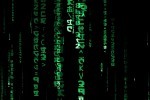
is an engine that produces a beautiful 3-dimensional animation of the Matrix symbols dropping from top to bottom, but also slowly moving from a distance towards you. The symbols get bigger on their way towards you, some of them gain in brightness and brilliance and some of them dissolve slowly until they disappear.
This screen saver, as well as the others, is interactive tool. If you move your mouse while it is running you can change your viewpoint in the 3-dimensional space. Move on top of the symbols to see them fall down or sneak underneath them and have them fall on you. Press F1 to get help about more keys that you can use to interact.
Matrix Reloaded
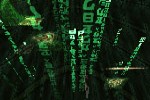
This variation of the above does exactly the same but adds a very nice feature for the movie fans. I like this one most. After five minutes or so (so be patient when you watch) distorted images of the movie appear in the far distance. Slowly but surely they move towards you and with their size getting bigger you can finally see Neo, Trinity or Morpheus and other shots from the movie. Your viewpoint by the way, like in the Pure one as well, changes after a while by itself. The camera moves around in the 3-dimensional space.
This screen saver, as well as the others, is interactive tool. If you move your mouse while it is running you can change your viewpoint in the 3-dimensional space. Move on top of the symbols to see them fall down or sneak underneath them and have them fall on you. Press F1 to get help about more keys that you can use to interact.
Download
I really like these screen savers a lot. They are beautifully made and I just don't get tired of them. MVR offered these screen savers for donwload as .EXE files that install them conveniently for you. But as I said, the MVR site is down and since they are free and so good I decided to host them on my website for donwload.
Download: http://www.lewe.com/index.php?page=downloads
Best regards,
George
Windows 8.1 Users
Make sure you run the executables as Administrator, otherwise they won't install. I also noticed on my 8.1 computer that only the Pure Code screensaver kept playing while the Reloaded screensaver exits with an error after a few seconds. The Pure Code one throws the error only when exiting it by pressing the space bar.
 We are looking for people with skills or interest in the following areas: