Gizmo's Freeware is Recruiting

Gizmos Needs YouWe are currently looking for people with skills and/or interest in the following areas:

- Anonymous Surfing Service
- Mobile Apps contributors
- Mac Section contributors
 

If this sounds like you then click here for more details


Best Free Media Center Software

In a Hurry?
  Go straight to the Quick Selection Guide
Introduction

Product 1High Definition TVs are the long overdue technical revolution bringing computer capable monitors to our living room. Home theatre and media center PC's (HTPC) are the perfect companion for these big screens for enjoying computers from the comfort of your sofa. Listening to music, viewing your online foto album or watching your digital videos with family and friends (or even alone for that matter) was never more enjoyable.

However, considering the larger distance between you and the screen most of the regular computer software is hard to read. Media Center Software is specifically addressing that by using large fonts and visual objects and providing specifically designed user interfaces for "sofa surfing".

Besides the built in media player and codec support, another great feature that good Media Center Software delivers to your finger tips is the intelligent managing and organizing of your media files, combined with downloading online information for movies, music or videos. Also, most of these programs come with a plugin API enabling you to install plugins for popular online sources like YouTube or Apple Movie Trailers.

I have been playing with Media Center Software now for a while, on Mac and Windows, and I would like to share my experiences with some of the best free products out there.

This is not a complete list of course and media center software is a lot about taste as well. If you like, leave a comment at the bottom of this page to share your view with us.

Discussion

XBMCXBMC can probably be considered as the one that started it all. It is truly outstanding in this category and earns the Gizmo's Top Pick title rightfully in my eyes.

Created in 2003 by a group of like minded programmers, XBMC is a non-profit project run and developed by volunteers located around the world. More than 50 software developers have contributed to XBMC which is available for Windows, Mac and Linux and in over 30 languages.

XBMC turned out to be the most reliable product for me. It played all media files I fed it with, it offers convincing media library features and is highly configurable with custom skins and backdrops (wallpaper images you can select as backgrounds for different screens). If you are a bit famiiar with XML files you can even tweak it some more from under the hood.

XBMC offers good mouse support throughout the application which is not always self understanding as I learned. Most annoying for me still is that you cannot freely pick a position in your media file by clicking on the progress bar while it is playing. Instead you have to type in a time position via the keyboard. Don't ask me why the simplest media player can do that but most of the Media Center Software cannot.

XBMC Movie GalleryMaintaining your media library is simple joy with XBMC. Point to a folder containing your files, indicate what type of files there are (Movies, TV Shows, etc.) and XBMC does the rest. It scans all subfolders and files and downloads all relevant information (text, thumbnails, sounds, etc) from the Internet. Of course you need to name the files and folder sensefully but that's really all it takes. Next time you navigate to your Movies gallery you will probably sigh a little "wow". In some rare cases XBMC picked the wrong or no informaton for some exotic items I had. I wish I had a little more manual overwrite options through the GUI for those cases.

There is much more to say about the endless features but I will leave that to the excellent XBMC home page. In the end you need to give it a test drive in order to see it yourself.

The community around XBMC is large. You will find a vast amount of plugins, skins and other goodies for it. The support through the XBMC forum is excellent and helps a lot when you start playing around with it.


PLEXPlex Media Center for OS X is a strong contender for XBMC, however, it is only available for Mac. Let me still get a few words out about Plex. Plex is based on XBMC meaning it was forked from the XBMC code in 2008. You will see the similarities right away and you will find a nearly equal set of features in Plex. You can even get the same skins for it. I used it for quite some time on my Mac Mini.

What I liked better in Plex was the Plugin management. It was much more convenient to search for and install plugins and my impression also was that there were more add-ons available, like TV shows from other countries.The Apple Movie Trailers plugin is great fun for us movie lovers.

The media player or codec analyzer in Plex though is less forgiving than the one in XBMC. I had some older music videos that played fine in all other media players but obviously had some format issues that Plex could not deal with. Starting a video from that library was practically impossible and stalled Plex. I had to step away from Plex for that reason.

Mouse support is very poor and again I wondered why that is. There is no reason really to ignore that little pointing device that was invented for a purpose after all. For many features you still have to use the keyboard - and what is more uncomfortable on a couch?

However, Plex still is a top product in its category and truely worth a look if you're not entirely happy with XBMC for Mac.


Windows Media CenterWindows Media Center is a quasi free product since it comes with Windows similar to Front Row on the Mac. In comparison to Front Row I find WMC visually more appealing though and not so proprietary-minded. Navigation is easy by mouse and keyboard and nicely animated with visual and audio effects. When it comes to functionality though WMC fails badly once you have seen XBMC in action.

Where to add files and folders to your media library is not too difficult to find in the menu but it is disappointing when you view the results. There is no automatic download of movie information or images. Your library is basically just a list of file and folder names WMC found. TV Shows I recorded as MKV files were not even recognized at all. The video library features are a failure all along.

On the other hand, WMC handled my music library pretty well. All my MP3 files are properly tagged and album cover shots are embedded. WMC traced through those in a breeze and viewing your music library afterwards is very rewarding. WMC offers several filters to view by, like Artist, Genre or Year. You can setup individual playlists using those same filters or by just adding individual songs.

WMC also does a decent job creating a pictures library from your digital images. It is a pleasure to view them through the GUI or have slide show started that smoothly animates each image.

If you are only interested in music and pictures, WMC is a good choice and probably already installed on your Windows machine. In my eyes it is not at all suited to manage your movies and videos.

There is a free third-party plugin available trying to fill the gap of a visually attractive media browsing. It is a bit complicated to configure and has room for improvement, but if you want to stick with Windows Media Center then you should definitely have a look at it. The plugin is called "Media Browser". You can find it here.

Related Products and Links

I also found the following products that I did not find appealing enough for me or a final release was not available yet. If you are interested in this kind of software I recommend to test drive them.

Boxee (Windows, Mac, Linux) - Requires Boxee account and login to use it.
Freevo (Windows, Mac, Linux) - Visually not very appealing to me
Front Row (Mac OS) - Unattractive GUI to me, poor video format support
MediaPortal (Windows) - Room for graphical improvement, a bit complicated to use and configure
MeediOS (Windows) - Still in Beta phase, wasn't able to manage libraries
MythTV (Linux) - Looks promising, can't test because not using Linux
SesamTV (Windows) - Requires username and email to use it

If you like customizing your media center software, this is an excellent address for backdrop images:

Home Theatre Backdrops

What do I need for a Home Theater setup?

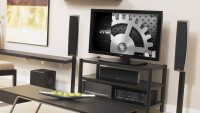
Home TheaterA Home Theater System is in principal the combination of an HDTV, a computer and an appropriate sound system. Modern TVs and computers now support HDMI and/or DVI digital output/input interfaces which makes it easy to send high resolution computer video output to your TV. While DVI (Digital Video Interface) only transports video signals, HDMI (High Definition Media Interface) also transports the audio signals. So if your computer and TV supports HDMI you just need to connect them with an HDMI cable and you can already use your computer with your TV as the monitor.

A Home Theater System is considered incomplete with proper surround sound. You will need an audio amplifier that can process surround sound. If you are planning to get one, make sure it supports the modern DTS HD audio format. Blu-Ray DVDs often come with an additional uncompressed master audio track that amplifiers need to able to process. You will be amazed how much more sound you get when listening to the uncompressed audio track. Besides the amplifier you need the speakers of course, 5 plus one subwoofer would be the basic setup. If you are not into all these details, your local Hifi/TV/Video store will offer several ready to go home theater sound systems incl. everything.

When it comes to the computer that you want to use in your living room you would want to consider some requirements. Mine were that I needed a small and quiet little box that fits easily on a shelf in my TV stand. It needed to have digital output for video and audio and must be powerful enough to play media files. Bluetooth keyboard and mouse was a must and LAN connectivity was also important. I found all these properties in the MacMini which is also very affordable. I wouldn't chose Mac OS for my workstation but it does a very good job as a home theater PC. XBMC and VLC Media Player are the most important applications I use on it.

A good forum where you can get into more details about all these components is AVForums.com.

Quick Selection Guide

XBMC
8
 
Gizmo's Freeware award as the best product in its class!

Runs as a stand-alone program on a user's computer
High usability, great GUI, media management, customizable, large community, beautiful skins available, lots of add-ons
Poor mouse control, manual editing of media info could be better
http://www.xbmc.org
http://xbmc.org/download/
11.0 "Eden"
50.4 MB
32 bit but 64 bit compatible
Unrestricted freeware
A portable version of this product is available from the developer.
Windows, Mac OS, Linux

Many languages available. New release "Eden" included in Debian

Plex
7
 
Runs as a stand-alone program on a user's computer
High usability, great GUI, media management, customizable
Oversensitive media format checker, poor mouse control, only for Mac OS
http://www.plexapp.com
0.9.3.4
109 MB
Unrestricted freeware
Mac OS

Many other languages available

Windows Media Center
4
 
Runs as a stand-alone program on a user's computer
Attractive GUI, good management of music and pictures
Too much nested menus, fails in managing movies and videos
32 and 64 bit versions available
Unrestricted freeware
Windows XP Media Center, Windows Vista, Windows 7

Comes with Windows XP (Media Center Edition), Vista (Home Premium and Ultimate) and Windows 7 (Home Premium, Professional, Enterprise, Ultimate)

Tags

media center software xbmc plex htpc backdrop movies videos music tv home theater

Back to the top of the article.


Share this
3.69231
Average: 3.7 (13 votes)
Your rating: None

Comments

by pbouthil on 24. January 2012 - 4:09  (87676)

Looks like another contender has emerged with some promise. Please evaluate Ubuntu TV.

http://www.ubuntu.com/tv

Another one to also look at is Boxee.

http://www.boxee.tv/

by George on 24. January 2012 - 7:10  (87684)

Hi pbouthil,
the application seems to be integrated in Ubuntu and is not available as a separate application. There seems to be no Windows version either so I have to leave this one alone.
Boxee is already mentioned in above article. I was not too fond of it but put a link in the related links paragraph.
Best regards,
George

by pbouthil on 25. January 2012 - 4:55  (87741)

Thx George and apologies.... When skimming your article I didn't see Boxee right away.

by Aleron (not verified) on 11. December 2011 - 20:56  (84842)

How about you to test Media Portal: http://www.team-mediaportal.com/

by George on 11. December 2011 - 21:28  (84843)

Hi Aleron,
thanks for your comment. I looked at Media Portal some time ago and it is mentioned in the related products section. I was not too siked about it at that time but it seems it did receive some major updates. I will give it another test drive.
Regards,
George

by George on 12. December 2011 - 18:34  (84912)

I did try Media Portal again now but I have to say that my impression from my first test drive did not change. Media Portal cannot compete with XBMC, our top pick here, and I think its place under related products is still appropriate.
The initial configuration is still done via a regular Windows dialog with a much too small font so that it is hard to read on a big screen TV. Once you've clicked trough the many tree-organized settings Media Portal starts its GUI which is as disappointing as it was the first time I saw it. Changing your configuration via the GUI is a hassle and only a few options are available there. I was waiting in vain for Media Portal to download any movie or music information from the Internet and I gave up looking for a manual way doing so. Maybe all those settings are hidden somewhere but the lengthy learning process will surely be disappointing for many. Compared to the appealing design and usability of XBMC, Media Portal is no match in my eyes. I assume that Media Portal can be setup satisfactorily if you spent the time on it, but it is not "there" yet competing with the major players in this category.
Best regards,
George

by Rob (not verified) on 1. January 2012 - 18:02  (86347)

I think this is a useful website for anyone looking at setting up a new Media Centre PC of some kind. But unfortunately your reviews have centred around the single function of viewing/listening to existing media, which has produced a bit of bias in the results.

I think it is probably fair to say that if you want to run a system for playing existing media then XBMC is probably the route to take. However, to dismiss MediaPortal as not being in the same league as XBMC is a shame, when it has a massive feature that XBMC can't do - Acting as a PVR to play, timeshift and record live TV.

I agree that MediaPortal can be difficult to configure the first time (especially since you have to manage the codecs yourself (albeit there are some simple MediaPortal plugins that do this for the user)), and the fact that most of the config has to be done up-close to the screen is a pain, but once it is set-up and you have selected the right skin for your taste, it is every bit as pretty as XBMC - and you can watch live TV too!

Of the many different software listed on your page, there are not many that can compete with MediaPortal for live TV, and those that come close still miss some important features:

1) MediaPortal works as a server/client setup, so you can (if you want) put all your TV tuners in a single PC hidden away in the loft/garage, and it will manage all of your recordings for you, and share the TV tuner resources amongst multiple clients on your home network. This means that you can have a client PC in every room in the house, and any of them can connect to the server and get it to tune to a TV channel and stream that across the network to the client. Any of the clients can schedule recordings, and simultaneously watch programmes already recorded.

2) Most PVR software (including WMC) will record a single TV channel using a single TV tuner. So if you want to record two channels at once you need two tuners. However, with MediaPortal it will allow a single tuner to record/view the entire mux (and a mux can have anything between 1 and 20 channels on it). This means that MediaPortal uses its tuner resources much more efficiently than other PVR software (which is very useful if you are running a multi-client setup across the whole house).

Therefore, to review MediaPortal without sticking a tuner card in the PC and actually testing it at what it is designed for, is not doing it justice. I personally think that if your site wants to target the full range of possible HTPC users, then to not including a proper review of MediaPortal is not giving your readers all the options they need to make a fully informed choice.

I still think XBMC may be the top scoring system because of it's simplicity, but many of your potential readers will be people who want to create a single point whole house system which manages ALL of their media (including Live TV and TV Recording) and are willing to compromise on the configuration GUI to get this function.

Keep up the good work

by oxomoxo (not verified) on 7. January 2012 - 20:46  (86781)

@Rob XBMC has PVR by using MythTV integration. And its well known within the XBMC community that PVR functionality is comming to XBMC. The issue is that most people in the XBMC world don't need PVR because they don't have Cable or OTA at all.

All of the themes for XBMC are free. XBMC also has many more themes available than MediaPortal.

The support community for XBMC is much larger than MediaPortal.

While I believe XBMC has a steeper learning curve than many other media center systems the time investment is worth it because you can make XBMC do nearly anything.

To be honest, if you don't want a hard core customized media center then just go get a Boxee box or install Plex or pick up a Roku. Otherwise you can't beat XBMC.

by oxomoxo (not verified) on 8. January 2012 - 0:36  (86786)

Please forget what I said above. I would delete my comment if I could. I was getting MediaPortal confused with http://www.mediabrowser.tv/.

by George on 8. January 2012 - 1:06  (86788)

Hi oxomoxo,
I have removed your comments about MediaPortal from your above post. However, I left what you said about XBMC. I hope that is ok.
Best regards,
George

by George on 1. January 2012 - 18:47  (86348)

Hi Rob,
thank you very much for your more detailed inside view of Media Portal. In fact I could not test all the features you are describing due to technical restrictions I had. Your additional information is valuable input for the readers of this article, like the client/server setup is indeed a very interesting aspect. I appreciate you taking the time to put it together and provide these addl. aspects of MediaPortal.
Best regards,
George

by Rob (not verified) on 9. April 2012 - 11:56  (91798)

Hi George,

I know it has been a while since I last posted on your site, but I have recently been putting together a setup guide for MediaPortal which I was hoping you might be able to use to do a review of MediaPortal on your site.

http://www.avforums.com/forums/home-entertainment-pcs/1602323-mediaportal-setup-guide.html

Let me know what you think.

Rob

by George on 9. April 2012 - 13:17  (91804)

Hi Rob,
thanks for the link to your Media Portal installation guide. You have done a great job there. It will definitely be an excellent help for those wanting to give Media Portal a shot and configure it to their needs.
Best regards,
George

by qazsert (not verified) on 2. September 2011 - 10:23  (78878)

is there any software where i can load or index all my videos and have ''Dimension'' column, i havnt find any library or playlist with dimension column

by nik (not verified) on 6. July 2011 - 2:22  (74835)

Boxee is great for addons and apps....totally blows XBMC away IMHO. Just a note, both of them can be integrated as menu items in WMC if you're like me and need WMC to watch live TV on your htpc.

MythTV is sooo cool....IF you have the EXACT hardware you need. Otherwise, prepare for a loooooong time searching forums, troubleshooting, and maybe even learning how to compile your own kernel in order to get your damn capture card to work just so you can watch TV!

Other than that, it really is great software. If you're a Linux guru, it's probably your best choice.

by George on 6. July 2011 - 6:14  (74841)

Hi nik,
thanks for your comment. In fact the top tools in this area are very close. In the end it is always a matter of personal preferences. Boxee is indeed a great app as well. I didn't like the fact though that you had to register on their site in order to use it.
Best regards,
George

by George on 20. December 2010 - 20:58  (63008)

Just a quick note that the new XBMC version 10.0 "Dharma" has now been officially released. Get it at www.xbmc.org.

by Hal Williams (not verified) on 19. November 2010 - 18:46  (61397)

Just curious why BOXEE is not consiered a serious contender? I'm not necessaraly saying it should be but it sure seems like they're working awfully hard to compete with just about everyone. Is it mainly because you must have an account and login? ...just curious.

Hal Williams

by George on 22. November 2010 - 7:22  (61480)

I took some time over the weekend to test the current Boxee. It started with "you can't even download without registering". I said this before, there is no need to base such a software on a personal account. There is no sufficient information about what my account data are used for, what kind of data is stored etc. In fact, I consider this a little bit as being "not free" software.

You also can't run the software without logging in to Boxee. After reluctantly creating an account and starting it up, the first thing I tried was adding some movie folders to the media collection. Identification of the movies was poor. Wrong movie, wrong type or simply no information as a result was not uncommon. Movies split an several files were not played correctly, e.g. not starting with the first part. Playback was sometimes choppy and not fluent on video sources that play flawlessly in other players.

I could not find a way to manually overwrite/correct the incorrect Boxee findings about the movies. While doing so I realized that navigating Boxee is not very intuitive. At this point of time I had spend a considerable amount of time with Boxee and was basically nowhere yet with it.

Boxee seems to more support online media services than being a media center software. Unfortunately that comes for the price of failing in the local media section. All in all it was a frustrating experience - again. Considering the contenders in this category Boxee is not one of the top ones in my eyes.

Fair enough - the Boxee website offers a "delete account" function.

by kho (not verified) on 31. October 2010 - 11:02  (60517)

What about the "Media Browser" plug in for WMC...its great

by George on 3. November 2010 - 11:52  (60711)

Thanks for the note. I checked it out. It is definitely an improvement for WMC. It's not "quite there" yet I think, but I added a paragraph and a link in the WMC review.

by lamb (not verified) on 15. October 2010 - 4:45  (59562)

A small historical correction.

It is not accurate to say that xbmc started it all.

When I came to this game (about 1999-2000 I think) the choice was limited to Showshifter (an excellent and fondly remembered product) and Snaptream for Windows users. They each had a hard core of dedicated and rival "fan boys" - and you can probably guess on which side I was on. Snapstream evolved into BeyondTV, but the company now appears to have abandoned the consumer-oriented media center product in favour of an enterprise TV storage and retrieval server. Despite successfully making the transition from analog to DVB, Showshifter was sold by its developers to an australian company SkyNet Global who wound it down. A group of ShowShifter users then acquired the source code with the view to resurrecting it as MediaPhoenix, but that unfortunately never happened.

Shortly afterwards, linux users had MyTV(c. 2001) which evolved into MythTV and it was only then that xbmc made its appearance (in 2003?). MythTV and xbmc now have the widest community support and are excellent products.

Arguably, perhaps, the real pioneers were the creators of the dedicated set-top box solution - TiVo (who, I believe, gave us the word "timeshifting"). This inspired others to create media center applications with similar functionality to enhance the experience on computers which were equipped with TV tuner cards. (Hardware manufacturers had been bundling their own software with the TV tuner cards but those would hardly qualify as media center software as they did not have a 10-foot UI).

by George on 15. October 2010 - 5:53  (59565)

Hello lamb,
thanks for shedding more light into the history of this category. I find it very interesting how these software and companies develop.
George

by Anonymous on 22. June 2010 - 10:20  (52710)

how about moovida ?

by George on 22. June 2010 - 20:01  (52758)

Thanks for the note. Moovida has indeed a media player software but it is not a media center application. It is not targeting large screens (HDTV, Beamer, etc) but is rather an application for your desktop monitor.
Best regards.
George

by Anonymous on 8. June 2010 - 7:38  (51610)

Some years ago, when I had XP Pro (and not MCE) I was looking for a Media Center package that would allow me to watch and record live TV. I've tried all available back then and found GBPVR (http://www.gbpvr.com/) to be the best. With its list of supported tuner cards and all the plugins available it was far ahead of competition.

by Anonymous on 7. June 2010 - 22:18  (51580)

You left out some of the best ones...........for windows

Media Portal

http://www.team-mediaportal.com/

for linux

Myth TV

http://www.mythtv.org/

BTW, both links to the windows media center download redirect you to Microsoft where you are encouraged to get Windows 7.

by George on 7. June 2010 - 23:24  (51584)

Thanks for the note. Will check it out...

...I gave MediaPortal a test drive but must say that it is not as mature as XBMC yet. I found it rather complicated to configure and was not able to add any useful library sections. This might be a matter of digging into the configuring details but right there I see a considerable downside. It looks proimising though and I have added it under the related products section.

MythTV I cannot test since I am not using Linux. I also added the link to the related products for those using Linux and wanting to give it try.

by Anonymous on 7. June 2010 - 15:32  (51558)

WOT (recommended app. from this site) really doesn't like the second link to Windows Media center (brothersoft). Try right clicking on it and choose 'View WOT scorecard'. WMC doesn't sound like a free DL unfortunately.

by George on 7. June 2010 - 17:24  (51565)

Thanks for the note. I also wonder why Brothersoft is yellow. Anyways, I have replaced the link.

Post new comment

The content of this field is kept private and will not be shown publicly.
To prevent automated spam submissions leave this field empty.